On this page (8 sections)
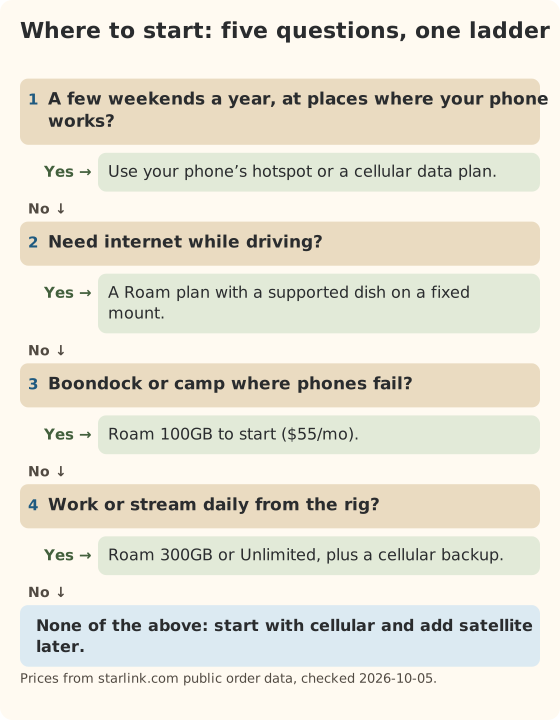
Decide how you’ll get online before you take the RV home, but don’t buy hardware yet. First answer five questions: how many nights a year you’ll be out, what you do online, whether your usual spots have cell signal, whether you need internet while driving, and whether you already pay for home internet. Those answers point to one of three setups: your phone’s hotspot, a Starlink Roam plan, or both.
New owners usually get this backwards. They buy a dish because the RV forums love it, then find their trips are three weekends a year at state parks with full bars of LTE. Or they rely on campground Wi-Fi and learn on the first rainy evening that forty families share it. This guide is the order to think in.
Five questions to answer first
Write the answers down. Each one rules options in or out.
- How many nights a year will you really be out? Count last year’s trips if you camped before, or the trips already on the calendar. Be honest. Plans are billed monthly, so 20 nights spread over 8 months costs far more than 20 nights in one month.
- What will you do online? Email, weather and maps use little. Streaming and video calls use a lot. Our data-use reference uses about 1 GB a day for the basics, and Netflix says HD uses up to 3 GB an hour.
- Do your usual spots get cell signal? Check your carrier’s coverage map for the parks you book, and ask other campers there. If phones work well, cellular will probably be cheaper.
- Do you need internet while driving? Passengers streaming on travel days, or a navigator checking weather, needs a plan that allows in-motion use and a fixed mount. Most new owners don’t need this on day one.
- Do you already pay for home internet? If you keep a house with internet, the RV only needs coverage for trip months. If the RV is your home, it needs coverage all year.
Your options in plain words
There are six realistic ways to get an RV online in the US. Prices below come from our data file with the date we checked them. Hover a price to see the date.
| Option | Monthly price | Data | Works while driving? | Best for |
|---|---|---|---|---|
| Phone hotspot on your current plan | Depends on your phone plan | Your plan’s hotspot allowance | Yes, where there’s signal | A few trips a year with good coverage |
| T-Mobile AWAY 200GB (cellular) | $110 (reported) | 200GB, then slowed | Yes, where there’s signal | Frequent travel on covered routes |
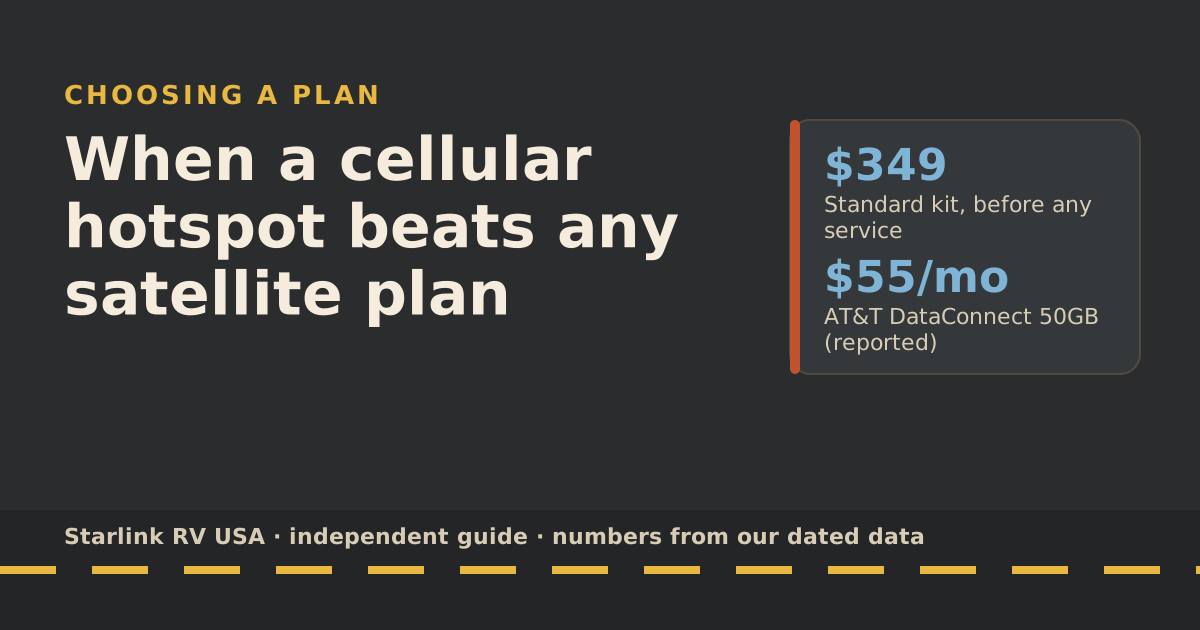
| AT&T DataConnect 50GB (cellular) | $55 (reported) | 50GB | Yes, where there’s signal | Light use, AT&T country |
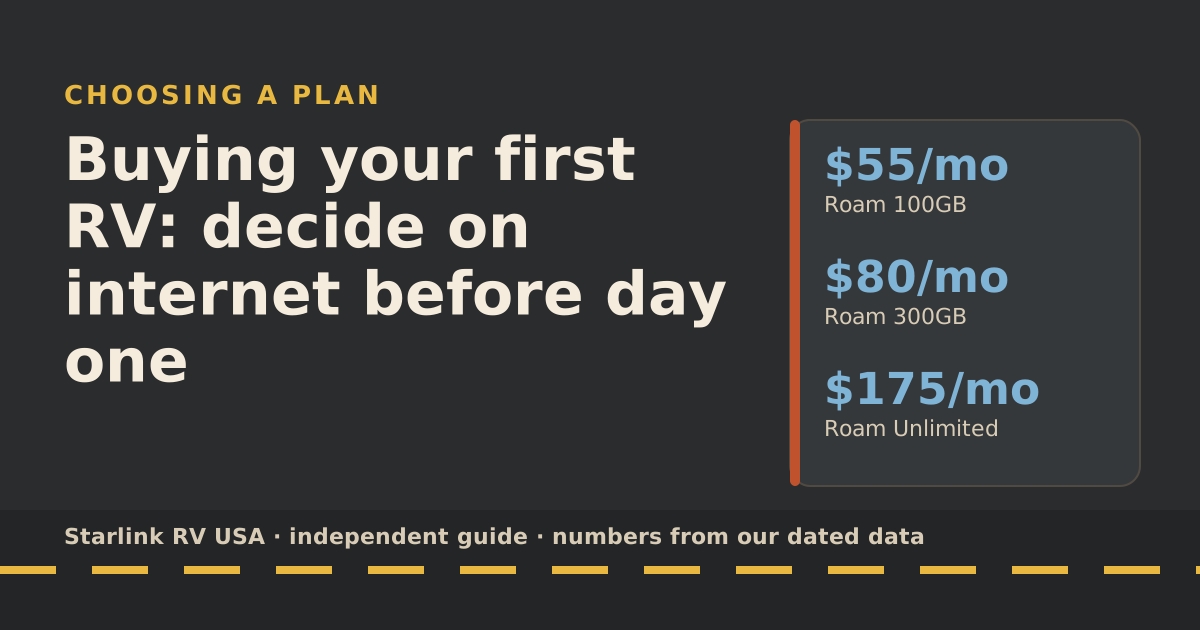
| Starlink Roam 100GB | $55/mo | 100GB high-speed, then low-speed | Yes, every Roam plan | Boondocking, monthly trips |
| Starlink Roam 300GB | $80/mo | 300GB high-speed, then low-speed | Yes | Streaming or working from the rig |
| Starlink Roam Unlimited | $175/mo | Unlimited on land | Yes | Heavy use, travel abroad |
Cellular prices are reported by the carriers’ pages or reviews and change often, so confirm them before you sign up. Starlink prices are from starlink.com’s public order data.
A seventh option comes up a lot in forums: using a Residential plan in the RV. Don’t. Starlink says Residential service works only at the registered address; using it anywhere else needs a Roam plan, and in-motion use is not permitted on any Residential plan. It only fits if the rig sits at one fixed address for good, and then you’re really talking about a house plan.
What “low-speed” means on Roam 100GB and 300GB
You aren’t billed extra when you use up the allowance. Starlink’s words: after the 100GB or 300GB runs out, service drops to unlimited low-speed data that handles email, calls and texts; streaming, big downloads and video calls are limited. Starlink doesn’t publish the low speed. Plan on email and messages working and video not working. Our data-cap guide covers what to do mid-month.
Roam is not the fastest Starlink
Starlink’s own troubleshooting page says Roam plans are deprioritized compared with other plans, so speeds can drop at busy times or in busy areas. It lists peak hours as roughly 6 to 11 p.m. local time. That’s also when most campers stream. Starlink’s typical Roam speed range is 65–260 Mbps down and 15–35 Mbps up (typical, Starlink’s global 20th–80th percentile).
Three starter setups, with real numbers
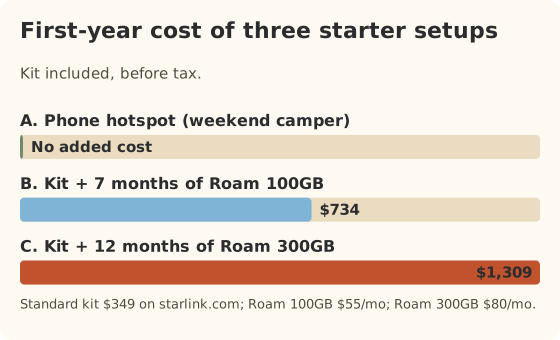
These are starting points, not final answers. Each one assumes the Standard kit from starlink.com at $349 if it includes satellite.
Setup A: weekend camper with good cell signal
Six weekends a year, mostly state parks and private campgrounds near towns. Email, maps and a movie on rainy nights.
- Use: your phone’s hotspot. Download movies at home before you leave.
- Add satellite only if: you start booking spots where phones don’t work.
- First-year cost: whatever your phone plan already costs. That’s the point.
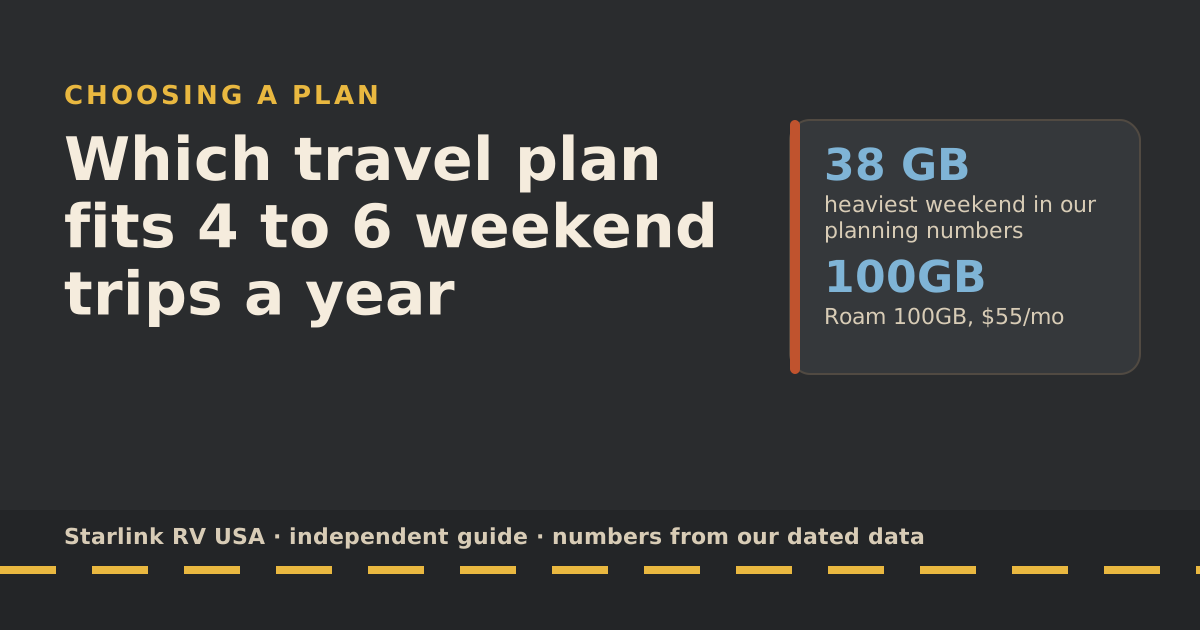
The weekend-trips guide runs the numbers for this pattern in detail.
Setup B: monthly trips, some boondocking
One trip a month from April to October, half of them on public land with weak signal. Streaming a couple of hours most evenings.
- Use: Roam 100GB at $55/mo during trip months. How far does 100GB go? about one week of typical use, in Starlink’s own words. A 4-night trip at about 7 GB a day uses around 28 GB.
- First-year cost: kit plus 7 months of Roam 100GB is $734 before tax. If you keep it running all 12 months instead, it’s $1,009.
- Watch for: a two-week trip in a single billing month can use the whole allowance.
Setup C: you work from the rig
Full-time or long trips with daily video calls. Our planning number for “remote work plus evening streaming” is about 13 GB a day: 3 hours of group video calls at 1.98 GB an hour (Zoom’s recommended bandwidth, converted), 2 hours of HD streaming, and 1 GB of basics.
- Use: Roam 300GB at $80/mo, which covers about 23 days at that rate. If you need every day of the month covered at that level, look at Unlimited ($175/mo) or add cellular for the overflow.
- Add: a cellular backup, because your income depends on it. The failover guide explains how a router switches between them.
- First-year cost: kit plus 12 months of Roam 300GB is $1,309, before any cellular plan.
Kit and mount basics for a new owner
You don’t need to make big hardware decisions before the first trip.
- The dish. The Standard dish weighs 2.9 kg (6.4 lb) without the kickstand and draws 75–100 W average on average. The smaller Mini weighs 1.10 kg (2.43 lb) without the kickstand and draws 25–40 W average. If you camp without hookups, power draw matters. That’s a battery question we don’t cover here.
- The cable. The Standard kit includes a 15 m (49.2 ft) cable between the dish and the router, per Starlink. That’s enough to set the dish in a clear spot away from the rig and run the cable through a door or window for the first few trips. Starlink says not to splice or extend the cable.
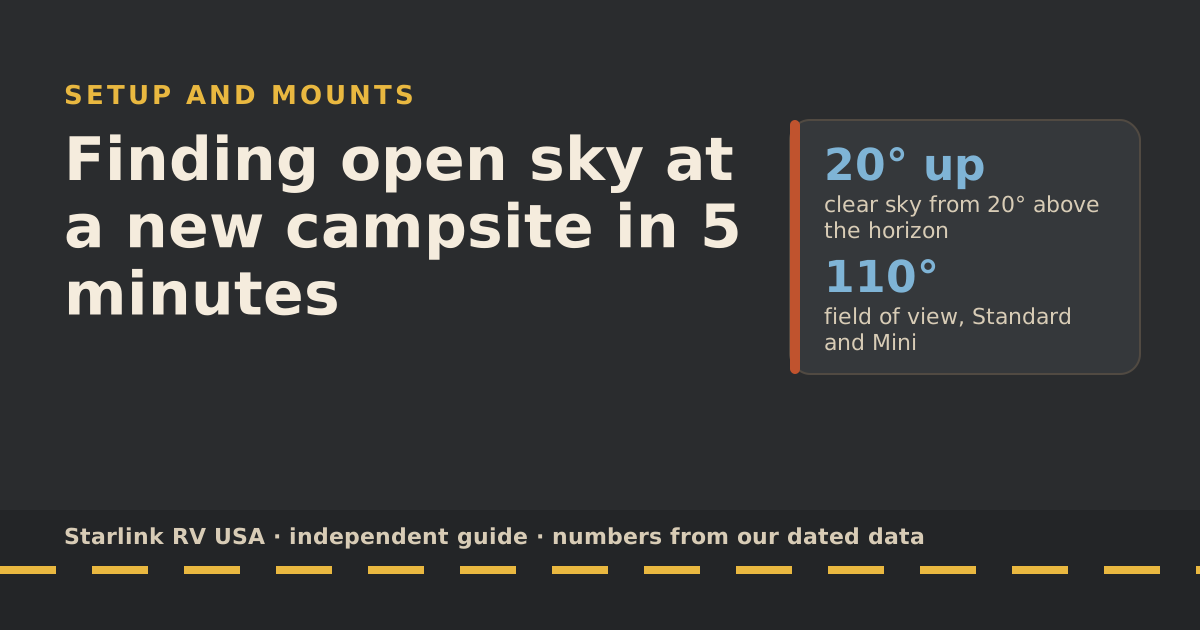
- The view. The dish needs an unobstructed 360° view of the sky from 20° above the horizon up. Its field of view is 110°. Trees are the most common problem at campsites. Our 5-minute sky check shows how to use the app’s Check for Obstructions tool at each new site.
- Mounts later. Roof mounts, ladder mounts and poles each solve a different problem. Read mount options after a few trips, when you know whether trees, theft or in-motion use is your real issue.
Your first-trip checklist
- Test at home. Set up the dish in your driveway, connect, and run a speed test before you leave. Problems are easier to fix with a store nearby.
- Name the Wi-Fi and set a password. Starlink’s setup guide notes the network isn’t password-protected until you set one. In a campground, that matters.
- Check your billing date. Starlink starts your billing cycle on the day the kit is first activated. Activate close to your first trip, not weeks before.
- Pack the cable route. Know whether the cable goes through a window gap, a door or a pass-through. Our cable guide has five options.
- Download maps and shows before you leave cell range.
- Have a plan B. Know where the nearest library, town or strong-signal spot is.
The site’s full setup checklist goes step by step for every new campsite.
Common mistakes new owners make
- Buying for the average month. If one trip a year is a two-week national-parks loop, size for that month or plan to upgrade for it. Starlink lets you you can switch from 100GB to 300GB or Unlimited (or 300GB to Unlimited) any time; you stay on the bigger plan for later cycles unless you switch back.
- Paying all year for a seasonal rig. If the RV is in storage from November to March, you shouldn’t be paying for a full plan then. The picker shows what cancelling or pausing between trips costs.
- Drilling first. A permanent roof mount is hard to undo. Learn where you camp before you drill.
- Trusting campground Wi-Fi for work. Use it for downloads when it’s quiet. Don’t schedule a call on it.
- Forgetting the passengers rule. In-motion service is for passengers. The driver drives.
What we don’t know
- Your coverage. No map tells you how your phone will do at a specific campsite. Ask people who camped there recently.
- The low speed after the cap. Starlink doesn’t publish it.
- Future prices. Starlink changed Roam prices and plans several times in 2026 alone. Every change we track is in the rules changelog.
- How your rig handles power. Power use depends on your batteries and habits. We don’t give power advice on this site.
What to do next
Put your answers into the travel plan picker. It takes travel days, data use, in-motion needs and home internet, and returns a plan with a yearly cost. It also tells you when a cellular hotspot is the cheaper answer. If you’re still unsure between cellular and satellite, read when a hotspot beats any satellite plan next.
Questions people ask
What internet should I get for my first RV?
It depends on how much you travel and where. For a few weekends a year at campgrounds with cell signal, use your phone’s hotspot or a cellular data plan. For monthly trips, boondocking or remote work, a Starlink Roam plan is the common choice, starting with Roam 100GB at $55/mo.
Can I use my home Starlink Residential plan in my RV?
No, not on the road. Starlink says Residential works only at the registered address, and in-motion use is not permitted on any Residential plan. Using it anywhere else needs a Roam plan.
Is campground Wi-Fi good enough?
Sometimes, for email and maps. It is shared by every site in the park, so evenings are often slow. Treat it as a bonus, not your plan.
Do I need to mount the dish on the roof?
No. The Standard dish ships with a kickstand and a 15 m (49.2 ft) cable, so you can set it on the ground on your first trips. Roof mounts make sense once you know you want in-motion use or set up often.
How much data does a new RVer need?
Email, maps and browsing use about 1 GB a day in our planning numbers. Two hours of HD streaming a night adds about 6 GB, using Netflix’s own figure of up to 3 GB an hour. Video calls add more. The data-use reference has the full table.
Can I turn the service off between trips?
Yes. You can cancel or pause between trips, and each option has its own cost and catches. The plan picker shows the yearly cost of each pattern for your trips.
Sources
- Can I use Starlink in-motion? (Starlink help center), retrieved Oct 6, 2026
- How much cable do I have and how do I route it indoors? (Starlink help center), retrieved Oct 6, 2026
- Slow Speeds: Troubleshooting (Starlink help center), retrieved Oct 6, 2026
- How to check for obstructions (Starlink help center), retrieved Oct 6, 2026
- How to control how much data Netflix uses (Netflix Help Center), retrieved Oct 5, 2026
- T-Mobile AWAY review (SatelliteInternet.com), retrieved Oct 5, 2026
- DataConnect plans (AT&T), retrieved Oct 5, 2026
- Roam plans and kits for US addresses (starlink.com public order data), retrieved Oct 5, 2026
- What are the Residential plans? (Starlink help center), retrieved Oct 5, 2026
- What are the Roam service plans? (Starlink help center), retrieved Oct 5, 2026
- Zoom system requirements: bandwidth (Zoom Support), retrieved Oct 5, 2026
- Standard specification sheet (Starlink PDF), retrieved Oct 5, 2026
- Mini specification sheet (Starlink PDF), retrieved Oct 5, 2026
- How to install Starlink on boats (Starlink help center), retrieved Oct 5, 2026
- Service Plan Changes (Starlink help center), retrieved Oct 5, 2026
Prices and plan rules on this page are filled in from our dated data files when the site is built; hover a number to see when we checked it.
Research and spec-based analysis. We haven’t used Starlink in an RV, van or boat; this post is built from Starlink’s own documents, carrier pages and dated reports, cited above. Links to Starlink’s plan pages here use the site owner’s own referral link: the owner may get a referral reward if you order, and your price is the same. There are no affiliate links. Starlink and Roam are trademarks of Space Exploration Technologies Corp. Starlink RV USA is not affiliated with, endorsed by, or sponsored by SpaceX or Starlink. Spotted an error? Tell us.