On this page (9 sections)
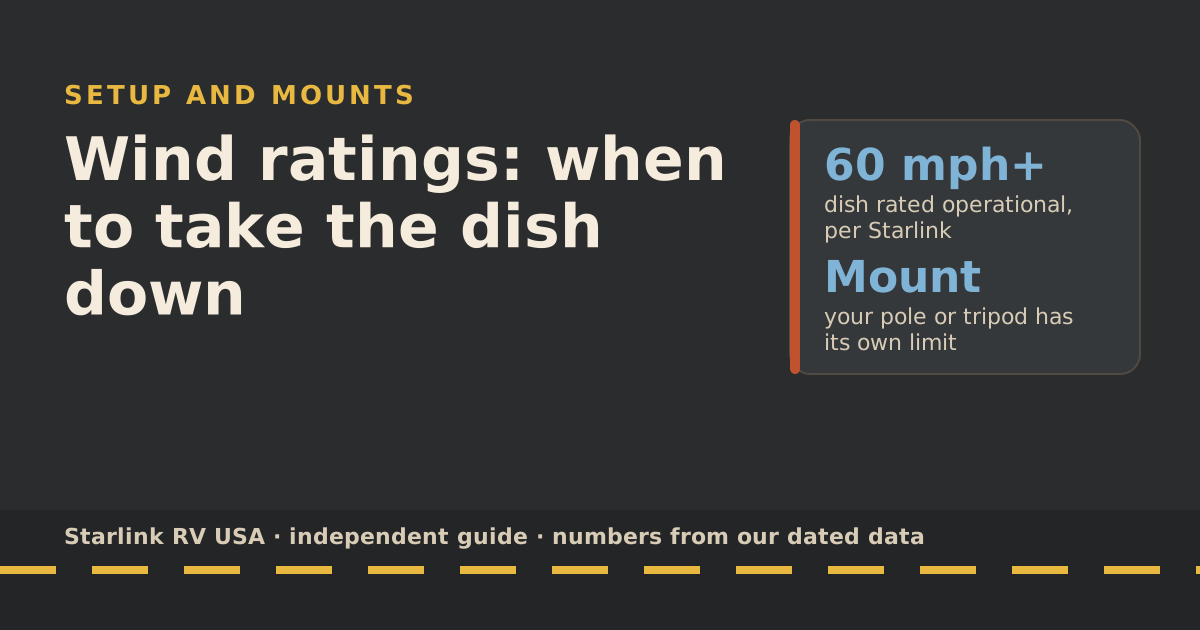
Starlink rates both the Standard and the Mini as operational in wind of 60 mph and up, but that rating is for the dish, not for the pole, tripod or kickstand it sits on at camp. Take down pole and kickstand setups when strong gusts are forecast; a tightly fastened fixed roof mount is the most wind-tolerant camp setup. Starlink itself says the system isn’t designed for hurricanes or tornadoes and recommends bringing the dish and cables inside in hurricane-force wind if it’s safe.
Here’s what the ratings say, how each mount behaves in wind, a storm checklist, and how to set back up after.
What Starlink’s ratings actually say
From Starlink’s spec sheets and weather help pages, as we last read them:
| Spec | Starlink’s rating |
|---|---|
| Wind | both dishes are rated operational in wind of 60 mph and up |
| Water and dust | IP67 (the Mini only with its DC cable and Starlink plug installed) |
| Temperature, dish (outdoors) | -22 °F to 122 °F (-30 °C to 50 °C) |
| Temperature, router and power supply (indoors) | 32 °F to 86 °F (0 °C to 30 °C) |
| Weight, Standard | 2.9 kg (6.4 lb) without the kickstand |
| Weight, Mini | 1.10 kg (2.43 lb) without the kickstand |
Starlink’s weather page says the dish is designed and tested for snow, hail, sleet, heavy rain and extreme heat, and “is not designed to handle hurricanes, tornadoes, earthquakes”. In extreme cases, it says, heavy rain or wind may slow the connection or cause a rare outage.
Two things the wind rating doesn’t tell you:
- Whether your mount holds. A flat dish in wind acts like a small sail. The force goes into whatever holds it.
- Whether it keeps working. “Operational” means the dish is rated to keep running, not that a dish swinging on a pole will hold a steady connection.
Pole vs roof vs kickstand in wind
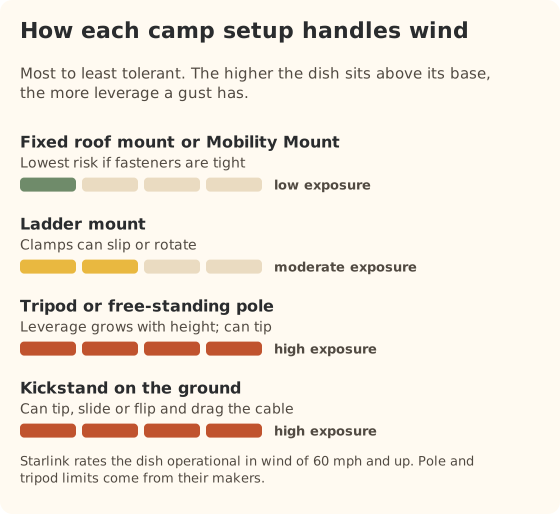
| Setup | In strong wind | What to do |
|---|---|---|
| Fixed roof mount or Mobility Mount | Most tolerant if fasteners are tight | Check fasteners; Starlink says to use removable thread locker (such as Loctite 222) on all mount fasteners so they don’t shake loose |
| Ladder mount | Clamps can slip or rotate | Check clamps; lower it if gusts are strong |
| Tripod or free-standing pole | Leverage grows with height; can tip | Lower or take down before gusts |
| Kickstand on the ground | Can tip, slide or flip; drags the cable | Bring it inside, or fold the kickstand and lay it flat where it can’t slide |
The physics is simple: the taller the pole, the more leverage a gust has at the base. A dish 15 feet up on a pole, guyed or not, puts far more load on its base than the same dish on the roof. Pole makers publish their own limits; use theirs, not Starlink’s dish rating.
The storm checklist
Use this when a forecast or the sky says strong wind is coming.
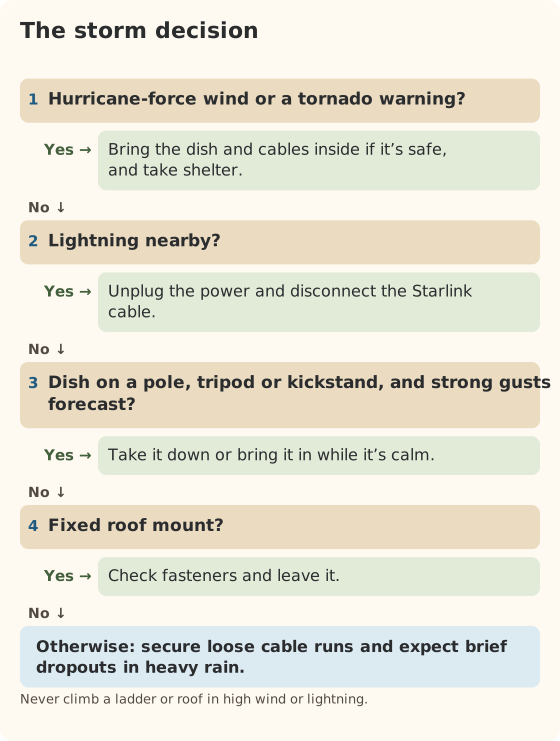
- Check the forecast for gusts, not just average wind. Gusts are what tip poles.
- Lower poles and tripods before the wind arrives, while it’s still safe to work.
- Bring a kickstand dish in, or at least lay it flat where it can’t slide. For storage, Starlink says to fold the kickstand under the Standard 4 or Mini.
- Secure the cable so it can’t whip or get pinched by a slide-out or door.
- Lightning: Starlink recommends unplugging the power and disconnecting the Starlink cable for added protection.
- Hurricane-force wind: Starlink recommends bringing the dish and cables indoors if it’s safe. If you can’t bring the cable in, protect the exposed ends from water.
Signal during bad weather
Starlink says significant weather can weaken the radio signal, and that moderate to heavy rain, snow and hail can cause momentary dropouts. Storms near Starlink’s ground stations can affect service too. These drops usually clear when the weather passes.
So if service stutters during a downpour, that’s expected. If it stays down after the storm, check the hardware.
Re-setup after the storm
- Look before you plug in. Starlink suggests checking hardware for damage from debris, especially outdoor parts.
- Dry the connectors. Starlink says if the cable gets wet, let it dry fully before reconnecting.
- Check the Wi-Fi name. Starlink says the router factory-resets after 6 power cycles in a row, which can happen in a storm with flickering shore power. If your network is back to the default name, set it up again in the app.
- Look for new obstructions. Fallen branches or a shifted dish change its view. Run the 5-minute sky check again if service seems worse than before.
- Check fasteners on fixed mounts after a big blow; see the pre-trip inspection.
Three forecasts, three calls
Breezy afternoon, gusts in the 20s (mph). Dish on the kickstand at a desert site. Check that the cable isn’t where the dish could drag it if it slid; consider weighing down the cable run, not the dish. If gusts climb, bring it in before dinner rather than at midnight.
Thunderstorm line coming in the evening. Dish on a 15-foot pole. Lower the pole while it’s calm and dry, before the first gust front. When lightning is close, unplug the power and disconnect the Starlink cable, as Starlink recommends. Set back up in the morning.
Strong overnight wind advisory, dish on a fixed roof mount. Leave it. Check fasteners at your next stop, and if the app shows new obstruction or cable alerts after the night, inspect before driving.
In each case the deciding factor is the mount, not the dish. When in doubt, the low-risk choice is to bring it in: setting it back up takes a few minutes.
Common mistakes
- Treating 60 mph as your setup’s limit. It’s the dish’s.
- Leaving a tall pole up overnight when gusts are forecast.
- Covering the dish to protect it. Starlink says added covers degrade performance and its ability to melt snow.
- Reconnecting a wet cable. Let it dry.
What we don’t know
- How a specific pole, tripod or ladder mount handles gusts. That’s the mount maker’s rating, and many don’t publish one.
- Starlink’s upper wind limit. “60 mph and up” sets a floor, not a ceiling.
What to do next
Add the storm checklist to your camp routine alongside the setup checklist, and read mount options if you camp in windy country often. For sizing your plan to your trips, the travel plan picker takes a minute.
Questions people ask
What is the wind rating for Starlink?
Starlink’s spec sheets say both dishes are rated operational in wind of 60 mph and up. That’s an operational rating for the dish itself, not for whatever it’s mounted on.
Should I take my Starlink down in high winds?
If it’s on a pole, tripod or the kickstand, take it down before strong gusts arrive; those setups can tip or swing. A properly fastened fixed mount is more tolerant. In hurricane-force wind, Starlink recommends bringing the dish and cables inside if it’s safe to do so.
Can Starlink handle storms?
Starlink says the dish is designed for snow, hail, sleet, heavy rain and extreme heat, but not for hurricanes or tornadoes. Heavy rain, snow and hail can cause short service dropouts.
Will the kickstand hold in the wind?
The kickstand is meant for setting the dish on the ground. It isn’t a wind-rated anchor. In strong gusts the dish can tip or slide, which can damage it or the cable. Lay it down or bring it in.
Should I unplug Starlink during a thunderstorm?
Starlink recommends it for added protection during lightning: unplug the power and disconnect the Starlink cable. It also recommends that when the system is left unattended for long periods.
What temperature range does Starlink work in?
Starlink says the dish is rated to operate outdoors from -22 °F to 122 °F (-30 °C to 50 °C), and the router and power supply indoors from 32 °F to 86 °F (0 °C to 30 °C).
Sources
- Snow, heavy rain, wind, lightning, or extreme temperatures (Starlink help center), retrieved Oct 6, 2026
- Does weather impact my service quality? (Starlink help center), retrieved Oct 6, 2026
- How do I stow my Starlink? (Starlink help center), retrieved Oct 6, 2026
- How to fix obstructions (Starlink help center), retrieved Oct 6, 2026
- Standard specification sheet (Starlink PDF), retrieved Oct 5, 2026
- Mini specification sheet (Starlink PDF), retrieved Oct 5, 2026
- How to install Starlink on boats (Starlink help center), retrieved Oct 5, 2026
Prices and plan rules on this page are filled in from our dated data files when the site is built; hover a number to see when we checked it.
Research and spec-based analysis. We haven’t used Starlink in an RV, van or boat; this post is built from Starlink’s own documents, carrier pages and dated reports, cited above. Links to Starlink’s plan pages here use the site owner’s own referral link: the owner may get a referral reward if you order, and your price is the same. There are no affiliate links. Starlink and Roam are trademarks of Space Exploration Technologies Corp. Starlink RV USA is not affiliated with, endorsed by, or sponsored by SpaceX or Starlink. Spotted an error? Tell us.