On this page (10 sections)
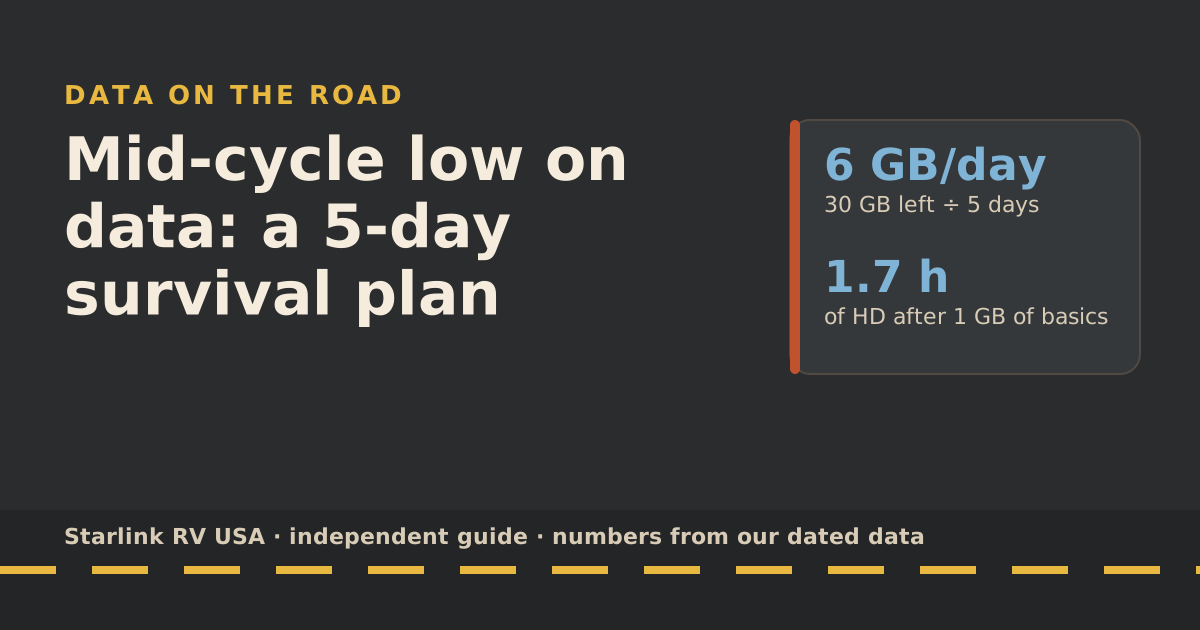
If your Roam allowance is nearly gone with days left in the cycle, divide the GB left by the days left to get a daily budget, then cut video quality first, stop background updates and backups, and move big downloads to campground Wi-Fi or a phone hotspot. If that still doesn’t fit, upgrade: Starlink says switching mid-cycle gives you the new plan’s full allowance right away. And if you do run out, you aren’t billed extra; service drops to low speed until your billing date.
Below is the five-day plan, with the numbers for each step.
Day 1: know your number
Open the Starlink app, tap the menu, then Data usage. On starlink.com it’s under Subscriptions, in the Data section. Note two things: GB left and days until your billing date.
Your daily budget is simply GB left ÷ days left.
| GB left | 3 days left | 5 days left | 7 days left |
|---|---|---|---|
| 10 GB | 3.3 GB/day | 2 GB/day | 1.4 GB/day |
| 30 GB | 10 GB/day | 6 GB/day | 4.3 GB/day |
| 50 GB | 16.7 GB/day | 10 GB/day | 7.1 GB/day |
What a day’s budget buys, using the services’ own rates from our data-use reference and our 1 GB-a-day planning allowance for basics:
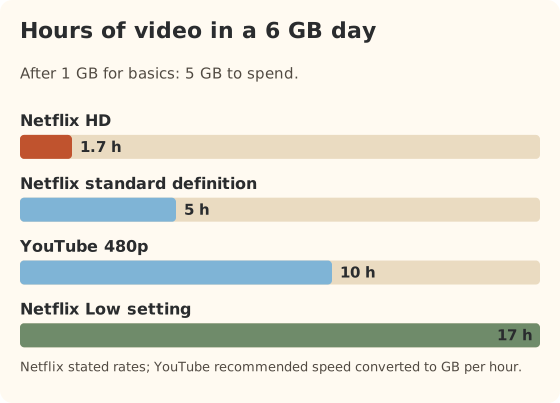
Starlink’s counter can differ a little from your bill: its additional-data help page says your bill may show less than the data tracker, because Starlink subtracts data used for backend operations such as software updates. Budget from the app’s number; it’s the cautious one.
Day 1 and 2: cut the big users first
In order of how much they usually save:
| Cut | Why it matters | Typical saving |
|---|---|---|
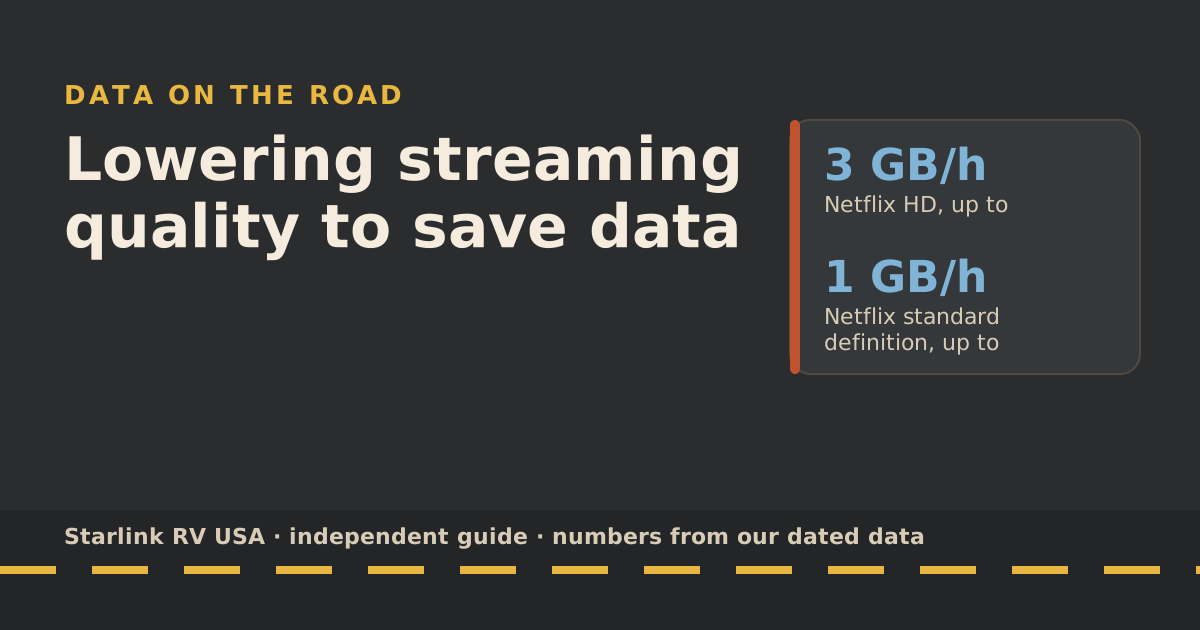
| Video from HD to SD | Netflix says HD is up to 3 GB/h, SD up to 1 GB/h | 2 GB per hour watched |
| Video from HD to Low | Low is up to 0.3 GB/h | 2.7 GB per hour watched |
| No 4K anywhere | 4K is up to 7 GB/h | 6 GB per hour vs SD |
| Pause app and system updates | Starlink says game and movie downloads can top 100 GB | One update can be several GB |
| Pause cloud photo and file backup | Uploads count too | Depends on what you shot |
| Stop speed tests | Starlink says each can use up to about 1 GB | About 1 GB each |
| Video calls at lower quality | Zoom’s group 720p rate converts to 1.98 GB/h | Varies by app |
How to make the cuts stick:
- Set quality per profile. In Netflix it’s a playback setting on each profile. YouTube lets you pick a lower resolution per video or as a default on mobile.
- Turn on Low Data mode on phones and tablets. Starlink specifically suggests it for background updates over Wi-Fi.
- Turn off autoplay in every streaming app.
- Check who’s connected. Starlink says an open or easy Wi-Fi password lets others join and use your data. Open the app’s Network screen and look for devices you don’t recognize. Change the password if needed.
- Unplug the smart TV’s Wi-Fi when not watching. Starlink lists smart TVs and cameras among devices that send data quietly in the background.
Day 2 to 4: spend somewhere else
Move heavy, non-urgent jobs off Roam:
- Campground Wi-Fi. Often slow in the evening, but fine for overnight downloads and app updates early in the morning.
- Your phone’s hotspot. If you have signal and hotspot data, use it for a movie night and save Roam for work.
- Town stops. Libraries and cafés are good for big uploads and updates.
If you use a dual-WAN travel router, you can steer some devices to cellular and keep others on satellite. Our cellular-first guide shows how.
Day 3: decide whether to upgrade
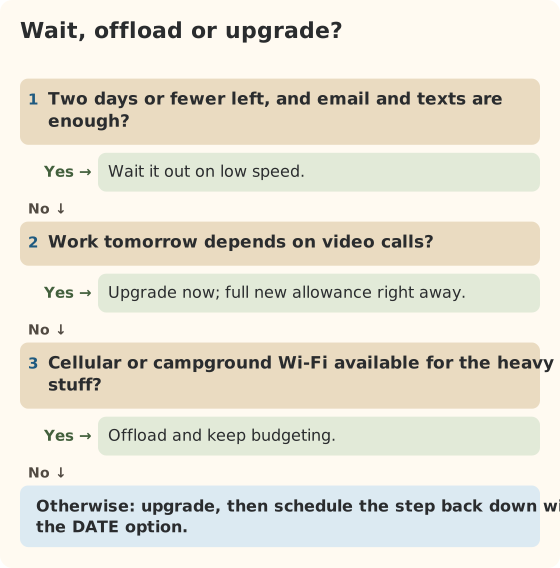
Your upgrade options, from Starlink’s plan-change rules:
- 100GB to 300GB: $80/mo plan, full 300GB allowance right away.
- 100GB or 300GB to Unlimited: $175/mo plan, unlimited high-speed data on land.
Starlink says the upgrade takes effect immediately and prorated charges apply for the higher plan. It doesn’t publish the exact proration formula, so we won’t guess the dollar figure for your case. Check “Preview next invoice” in your account; Starlink says it updates daily and reflects recent plan changes.
Then, in the same session, choose your usual plan again with the DATE option so it applies at the start of your next cycle. Starlink says that once you upgrade, you stay on the bigger plan for future billing cycles unless you switch back.
Day 5: the reset, and next cycle prep
Your allowance resets at the start of the next billing cycle. Starlink’s additional-data help page says data counts reset automatically on the billing date. Before then:
- Look at what used the data. The app’s data graph and its CSV export show the daily pattern. Which days spiked?
- Pick next month’s plan for the trips coming up. A month with a long trip or a houseful of guests may need the bigger plan; a quiet month may not.
- Set an alarm at halfway. If you’re past half the allowance before the middle of the cycle, act then, not on day 25.
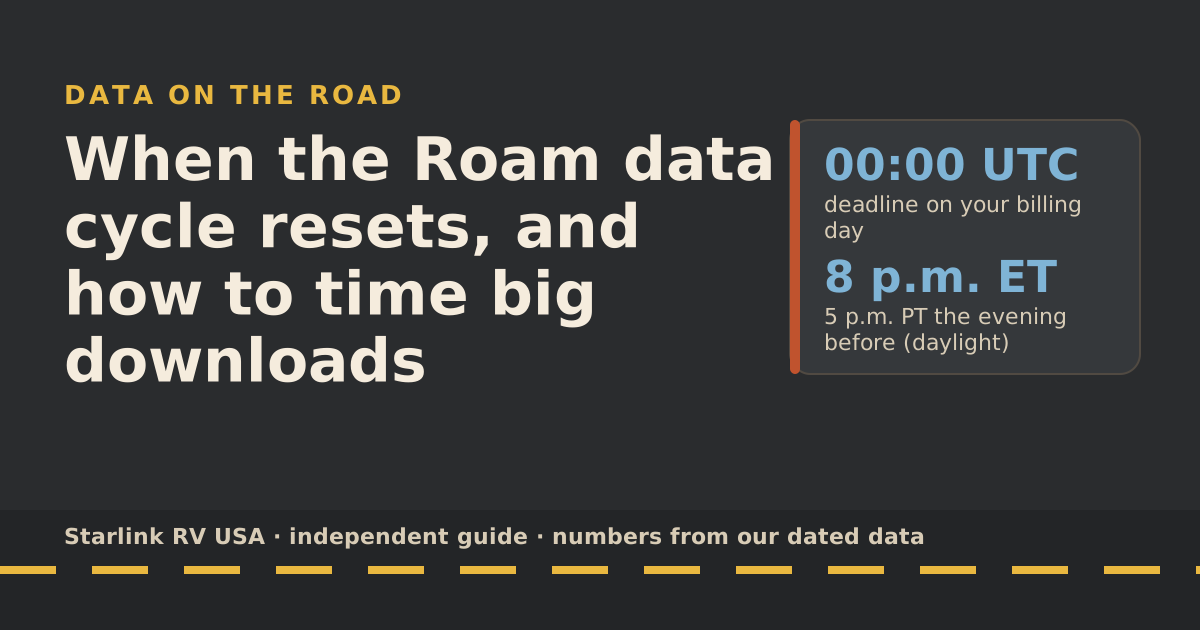
Our billing-cycle guide explains the reset date and the UTC deadline for plan changes.
If you do run out
Starlink: after the 100GB or 300GB runs out, service drops to unlimited low-speed data that handles email, calls and texts; streaming, big downloads and video calls are limited. Expect email and messages to work, video and calls to struggle. The app may show “Data usage limit reached”. Starlink doesn’t publish the low speed, so test what works for you before you rely on it.
Worked example: a 300GB family on day 25
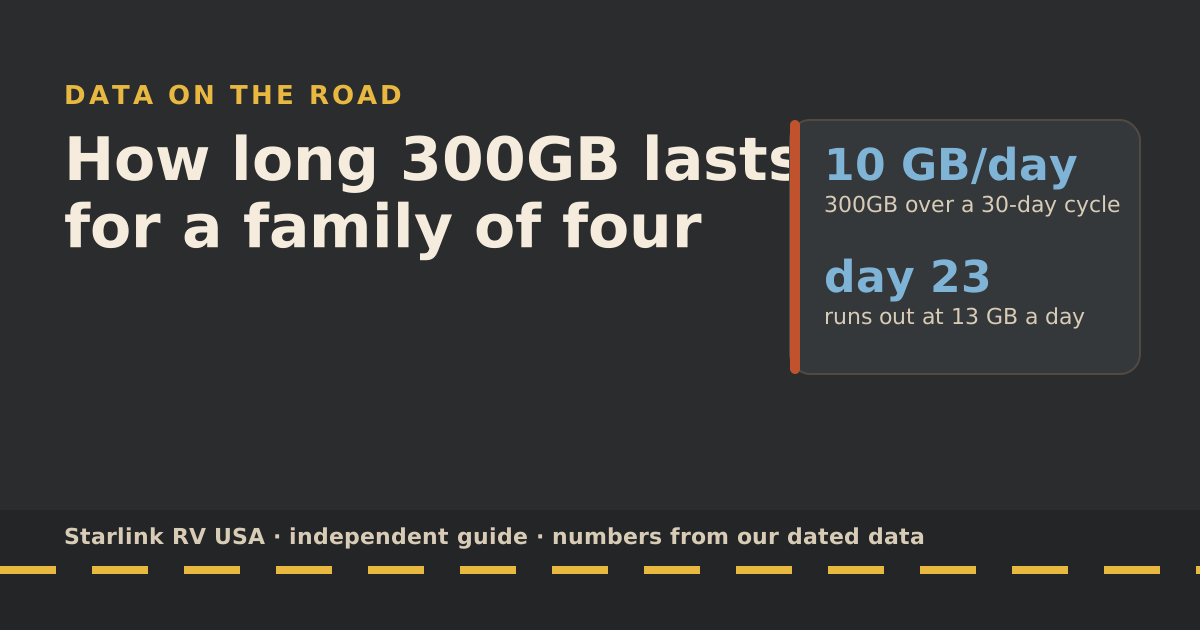
A family of four on Roam 300GB checks the app on day 25 of a 30-day cycle: 270 GB used, 30 GB left, 5 days to go. Their normal day is about 13 GB (an HD show at night, two tablets on SD for three hours each, plus basics, in our planning numbers).
- At their normal pace: 5 days × 13 GB = 65 GB. They’d run out in a little over two days.
- With tablets on Low and the TV on SD: 4.8 GB a day, about 24 GB for 5 days. That fits in 30 GB.
- With one movie night on campground Wi-Fi as well, there’s room to spare.
So no upgrade is needed: two settings and one evening on other Wi-Fi get them to the reset. If a parent had a day of video calls coming, the answer might change, because calls don’t get much cheaper with settings. That’s when upgrading for the last few days is reasonable, as long as they schedule the step back down.
Common mistakes
- Running speed tests to “check if it’s slow”. Each can cost up to about 1 GB.
- Upgrading and forgetting. The bigger plan sticks until you change it.
- Leaving 4K on the smart TV. It’s the single biggest data user in most rigs.
- Ignoring uploads. Photo backups and video uploads count, and they run in the background.
What we don’t know
- The low-speed rate after the cap. Starlink doesn’t publish it.
- The proration formula for mid-cycle upgrades.
- Your devices’ background use. Starlink’s router doesn’t break usage down per device, so it can be hard to see.
What to do next
Work out a realistic daily number with the data-use reference, then check whether your plan fits your busiest month in the travel plan picker. If you’re on 300GB with a family, see how long 300GB lasts.
Questions people ask
What happens when I run out of Roam data?
Starlink says after the 100GB or 300GB runs out, service drops to unlimited low-speed data that handles email, calls and texts; streaming, big downloads and video calls are limited. There’s no overage bill. Starlink doesn’t publish the low speed.
Can I buy extra data on Roam 100GB or 300GB?
Not as a top-up. The old per-GB top-ups were removed in January 2026, per RV Mobile Internet. Your option is to upgrade: Starlink lets you you can switch from 100GB to 300GB or Unlimited (or 300GB to Unlimited) any time; you stay on the bigger plan for later cycles unless you switch back.
If I upgrade mid-month, do I get the full allowance?
Yes. Starlink says switching plans mid-cycle gives you that plan’s full usage limit. It also says upgrades take effect immediately with prorated charges for the higher plan.
Will I be stuck on the bigger plan?
Until you switch back. Starlink says once you upgrade, you remain on the bigger plan for future billing cycles unless you change it. Choose the smaller plan with the DATE option so it applies from your next cycle.
When does my Roam data reset?
At the start of each billing cycle. Your cycle starts on the date your kit was first activated, and Starlink’s additional-data help page says data counts reset automatically on the billing date. See our billing-cycle guide.
Where can I check how much data I have left?
In the Starlink app, open the menu and tap Data usage; on starlink.com, go to Subscriptions and open the Data section.
Sources
- What are the Roam service plans? (Starlink help center), retrieved Oct 6, 2026
- Can I change my Starlink plan during a billing cycle? (Starlink help center), retrieved Oct 6, 2026
- Data Usage Best Practices (Starlink help center), retrieved Oct 6, 2026
- How do I view my monthly data usage? (Starlink help center), retrieved Oct 6, 2026
- How do I opt in for additional data? (Starlink help center), retrieved Oct 6, 2026
- Starlink doubles data on Roam plan, introducing Roam 100GB (RV Mobile Internet), Jan 13, 2026, retrieved Oct 5, 2026
- How to control how much data Netflix uses (Netflix Help Center), retrieved Oct 5, 2026
- Zoom system requirements: bandwidth (Zoom Support), retrieved Oct 5, 2026
- Roam plans and kits for US addresses (starlink.com public order data), retrieved Oct 5, 2026
- Service Plan Changes (Starlink help center), retrieved Oct 5, 2026
Prices and plan rules on this page are filled in from our dated data files when the site is built; hover a number to see when we checked it.
Research and spec-based analysis. We haven’t used Starlink in an RV, van or boat; this post is built from Starlink’s own documents, carrier pages and dated reports, cited above. Links to Starlink’s plan pages here use the site owner’s own referral link: the owner may get a referral reward if you order, and your price is the same. There are no affiliate links. Starlink and Roam are trademarks of Space Exploration Technologies Corp. Starlink RV USA is not affiliated with, endorsed by, or sponsored by SpaceX or Starlink. Spotted an error? Tell us.