On this page (9 sections)
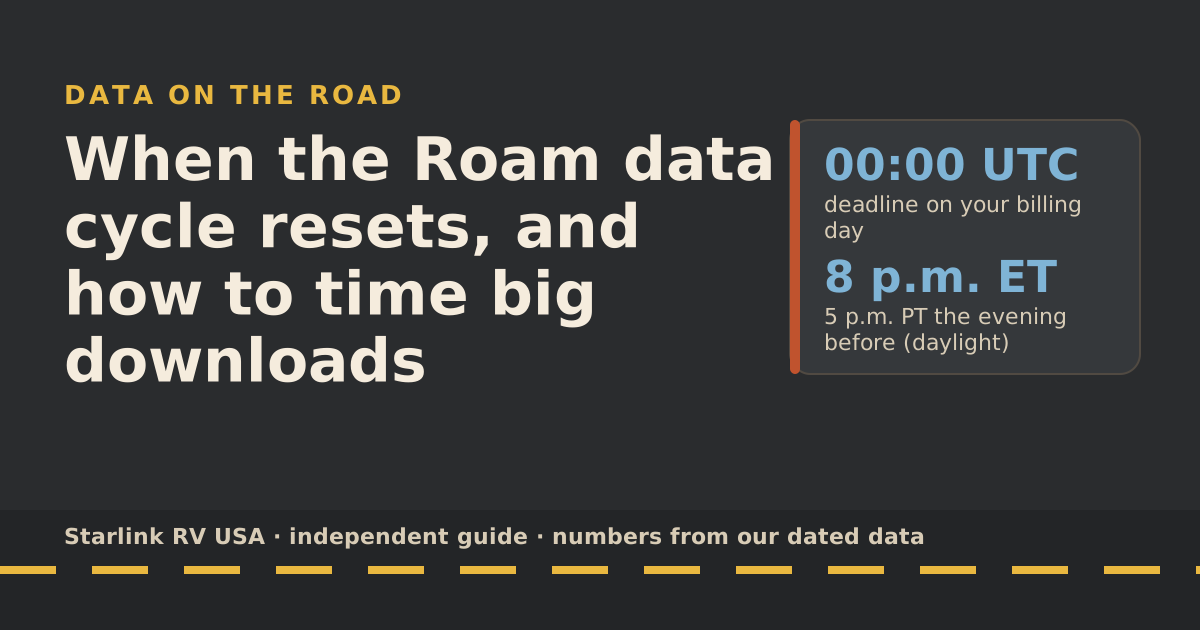
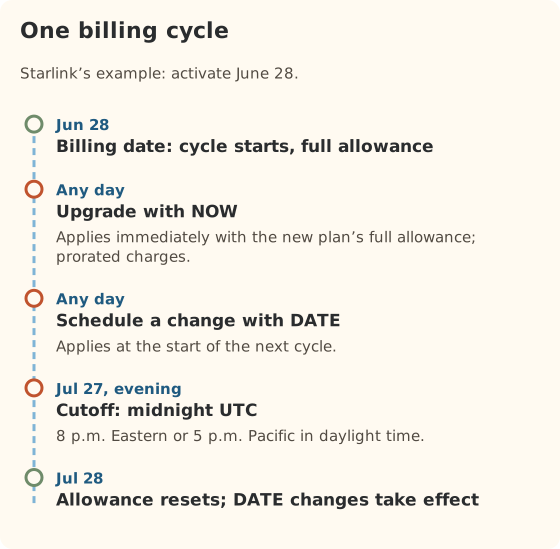
Your Roam data allowance resets on your billing date, which is the day your kit was first activated (moved to the 28th if that was the 29th, 30th or 31st). Plan changes run on UTC time and must be made before midnight UTC on your billing day, which in the US is the evening before: 8 p.m. Eastern or 5 p.m. Pacific during daylight time. Time big downloads around the reset: hold them until after it if you’re near the cap, and run them before it if you have data to spare.
How your cycle is set
From Starlink’s billing-cycle article, as we last read it:
- It starts at activation. Your first cycle begins on the day the kit is first activated, and you’re billed that day.
- The 28th rule. Activate on the 29th, 30th or 31st and your billing date adjusts to the 28th.
- Auto-activation. If you don’t activate within 7 days of delivery, Starlink activates it for you.
- No moving it. Starlink says billing date changes or delays aren’t supported.
- Where to see it. The Billing tab in your Starlink account shows your cycle and payment due date.
Starlink’s own example: activate June 28, and your cycle runs June 28 to July 27; the next runs July 28 to August 27.
When the allowance resets
Your Roam 100GB or 300GB allowance runs for one billing cycle and resets on your billing date. Starlink’s additional-data help page says data counts reset automatically on the billing date. If you used up the allowance, low-speed service ends then too: after the 100GB or 300GB runs out, service drops to unlimited low-speed data that handles email, calls and texts; streaming, big downloads and video calls are limited.
We’ve seen no sign that unused Roam data rolls over to the next cycle, so plan as if it doesn’t.
The UTC deadline in every US time zone
Starlink says subscription billing is tied to UTC, and changes must be made before 12:00 a.m. UTC on your billing day; changes made after midnight wait until the next billing day. That applies to plan changes and cancellations. Here’s what midnight UTC is in each US zone:
| Time zone | Daylight time (most of Mar–Nov) | Standard time (Nov–Mar) |
|---|---|---|
| Eastern | 8 p.m. the evening before | 7 p.m. the evening before |
| Central | 7 p.m. the evening before | 6 p.m. the evening before |
| Mountain | 6 p.m. the evening before | 5 p.m. the evening before |
| Arizona (no daylight time, most of the state) | 5 p.m. the evening before | 5 p.m. the evening before |
| Pacific | 5 p.m. the evening before | 4 p.m. the evening before |
| Alaska | 4 p.m. the evening before | 3 p.m. the evening before |
| Hawaii | 2 p.m. the evening before | 2 p.m. the evening before |
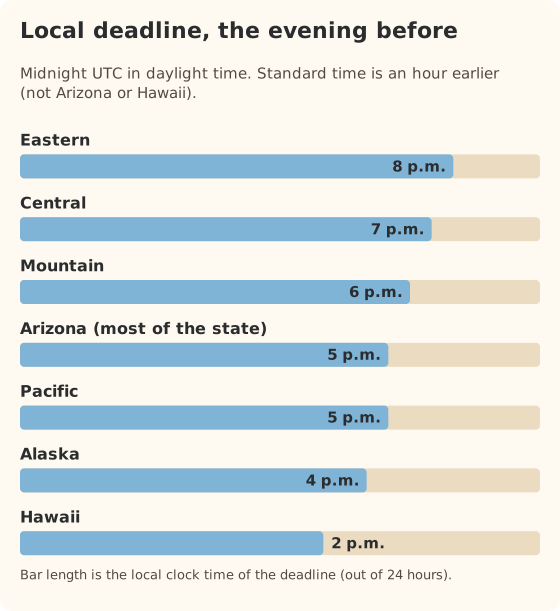
Our data file sums it up the same way: plan changes must be made before midnight UTC on your billing day (that’s 5 or 8 p.m. the evening before in US time zones).
How to time big downloads
Big downloads are the usual cap-breakers: Starlink notes game and movie downloads can top 100 GB, and phones, consoles and vehicles update over Wi-Fi in the background.
| Situation late in the cycle | What to do |
|---|---|
| Near the cap, a few days left | Pause updates and big downloads until the billing date |
| Lots left, a few days to go | Run updates, download movies and maps for the next trip now |
| Already on low speed | Wait for the reset, or offload to campground Wi-Fi or cellular |
| Just reset | Fine to run big jobs, but they eat into this month’s allowance |
A simple routine: on the day before your billing date, check the counter (menu, then Data usage). If there’s a lot left, let the console and laptops update overnight and download the next trip’s shows. If there isn’t, wait a day.
Plan changes and cycles
Starlink offers two timing buttons when you change plans:
| Change | NOW | DATE |
|---|---|---|
| Upgrade (e.g., 100GB → 300GB) | Starts right away; prorated charges; full new allowance | Starts at the end of the current cycle |
| Downgrade (e.g., 300GB → 100GB) | Starts right away; no refund for the rest of the month | Starts at the end of the current cycle |
Three details that trip people up:
- Upgrades stick. Starlink says once you upgrade, you stay on the bigger plan for future cycles unless you switch back. Schedule the step-down with DATE right after you upgrade.
- Pending changes block new ones. Starlink says if “Slide to switch plan” is greyed out, you probably already have a pending change; cancel it first.
- Cancelling keeps service to the paid date. Starlink says service stays active until the date paid for, and reactivating later may not be immediate.
Before a billing date, use “Preview next invoice” in your account. Starlink says it updates daily and reflects recent plan changes.
Worked example: a trip that straddles the reset
Say your billing date is the 28th, you’re on Roam 300GB, and you leave on the 20th for two weeks. On the evening of the 19th you have 120 GB left in the current cycle.
- The 20th to the 27th (8 days) use the current cycle. At about 13 GB a day in our planning numbers, that’s about 104 GB: just under the 120 GB you have left. Turn the TV down to SD for a night or two to be safe.
- On the 28th the allowance resets to a full 300GB.
- The 28th to the 3rd (6 days) come out of the fresh allowance.
Two things to do before you leave:
- If you want a bigger plan for the second half, schedule it with DATE before the UTC cutoff on the evening of the 27th (US time). It then applies from the 28th.
- Run big downloads on the 27th if you have data left over, not on the 28th: data unused at the reset doesn’t carry over, as far as we can tell.
Common mistakes
- Changing plans on the evening of the billing date. In US time, that’s already the next UTC day. Do it the day before.
- Activating a new kit weeks before the first trip. The cycle starts at activation, so you pay for the wait.
- Downgrading with NOW to “save money” mid-month. You lose the rest of the month on the bigger plan, with no refund. Use DATE.
- Trusting your memory for the date. Check the Billing tab once and put the date in your calendar.
What we don’t know
- Exactly how proration is calculated for mid-cycle upgrades. Starlink says prorated charges apply but doesn’t publish the formula.
- Rollover. We haven’t seen it offered; Starlink’s Roam pages don’t mention it.
What to do next
If you’re near the cap right now, follow the 5-day survival plan. Planning a long trip that spans two cycles? The 6-week road trip guide shows how to start big and step down. Billing and plan rules change; every dated change is in the rules changelog.
Questions people ask
When does my Starlink Roam data reset?
On your billing date, the start of each billing cycle. Your billing cycle begins on the day your kit was first activated; you can see the cycle dates in the Billing tab of your Starlink account.
What time does the Starlink billing day start?
Starlink ties billing to UTC: changes must be made before 12:00 a.m. UTC on your billing day. In US time zones that’s the evening before: 8 p.m. Eastern and 5 p.m. Pacific during daylight time, an hour earlier in winter.
Can I change my billing date?
Starlink says billing date changes or delays aren’t supported. The date is set by when you activated, except that activations on the 29th–31st move to the 28th.
Does unused Roam data roll over?
We haven’t seen Starlink offer rollover on Roam 100GB or 300GB. Assume unused data is gone at the reset.
If I upgrade mid-cycle, when does my data reset?
An upgrade with NOW gives you the new plan’s full allowance right away, per Starlink. Your billing date doesn’t move, so the next reset is still on your usual billing date.
Why does my app show a different total than my bill?
Starlink says your bill may show less data than the app’s tracker, because it subtracts data used for backend operations such as software updates.
Sources
- How does the monthly service billing cycle work? (Starlink help center), retrieved Oct 6, 2026
- Service Plan Changes (Starlink help center), retrieved Oct 6, 2026
- How do I cancel service? (Starlink help center), retrieved Oct 6, 2026
- How do I opt in for additional data? (Starlink help center), retrieved Oct 6, 2026
- Can I change my Starlink plan during a billing cycle? (Starlink help center), retrieved Oct 6, 2026
- Data Usage Best Practices (Starlink help center), retrieved Oct 6, 2026
- Roam plans and kits for US addresses (starlink.com public order data), retrieved Oct 5, 2026
- What are the Roam service plans? (Starlink help center), retrieved Oct 5, 2026
- How to control how much data Netflix uses (Netflix Help Center), retrieved Oct 5, 2026
Prices and plan rules on this page are filled in from our dated data files when the site is built; hover a number to see when we checked it.
Research and spec-based analysis. We haven’t used Starlink in an RV, van or boat; this post is built from Starlink’s own documents, carrier pages and dated reports, cited above. Links to Starlink’s plan pages here use the site owner’s own referral link: the owner may get a referral reward if you order, and your price is the same. There are no affiliate links. Starlink and Roam are trademarks of Space Exploration Technologies Corp. Starlink RV USA is not affiliated with, endorsed by, or sponsored by SpaceX or Starlink. Spotted an error? Tell us.