On this page (11 sections)
- The one number: 10 GB a day
- Days per 300GB for six family patterns
- Warning points: are you on pace?
- Cut-back ideas, ranked by days gained
- Why families run out earlier than the math says
- When 300GB isn’t the right plan
- Same family, part of the month on the road
- Reading the counter
- Common mistakes
- What we don’t know
- What to do next
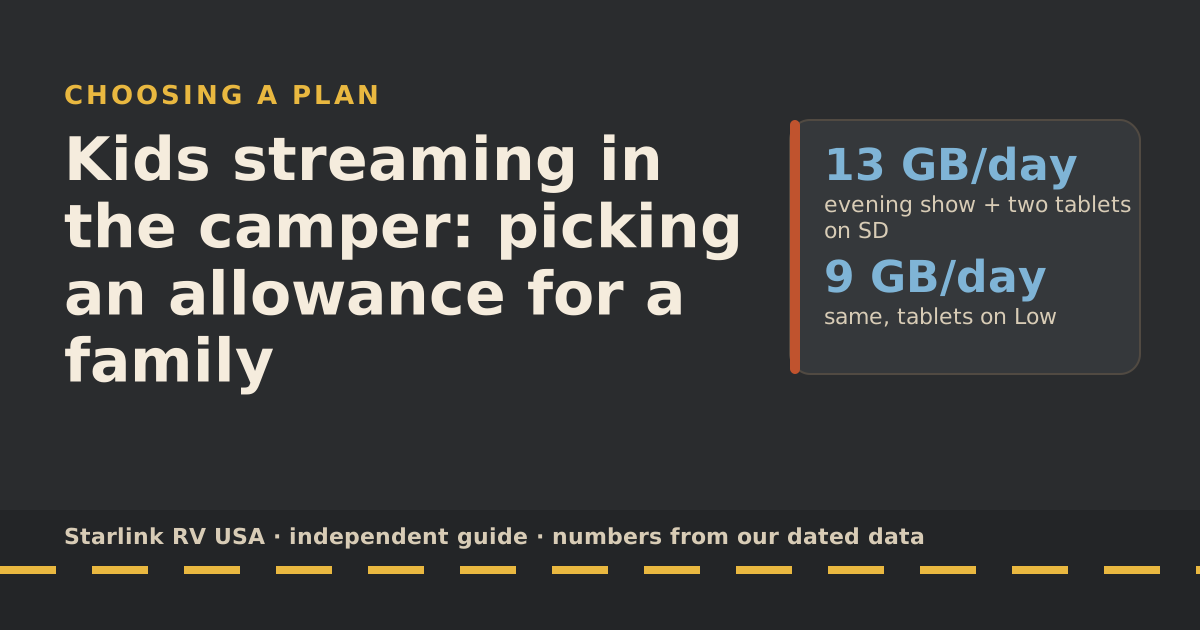
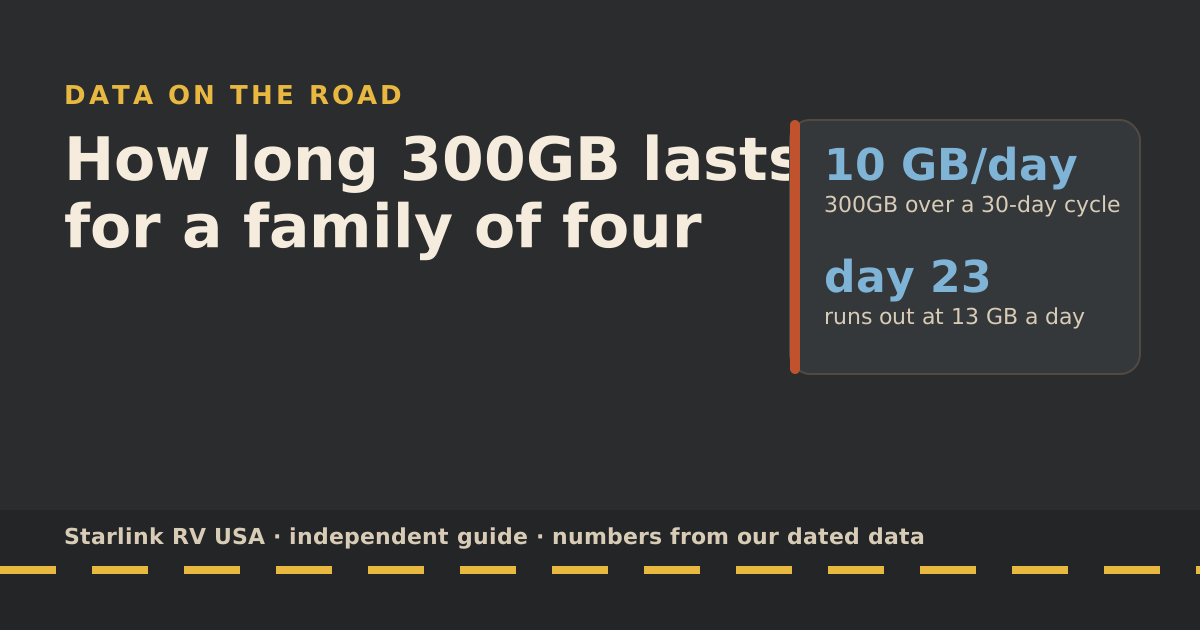
Roam 300GB lasts a family of four anywhere from about two weeks to more than a month, depending almost entirely on video quality. Over a 30-day billing cycle it works out to 10 GB a day. In our planning numbers, a family that watches one HD show a night and lets two kids stream on tablets in standard definition uses about 13 GB a day and runs out around day 23. Put the tablets on a low-data setting and the same family lasts the whole cycle.
Below: days per 300GB for six family patterns, the pace marks to watch, and the cuts that buy the most days.
The one number: 10 GB a day
A billing cycle runs about a month from your billing date. Dividing 300GB by 30 days gives 10 GB a day. If your family averages more than that, you hit the cap early; less, and you finish with data to spare.
For comparison, Roam 100GB is about 3.3 GB a day over the same cycle.
Days per 300GB for six family patterns
Each pattern is built from the services’ own rates in our data-use reference: Netflix’s stated GB per hour, Zoom’s recommended bandwidth converted to GB per hour, plus 1 GB a day for basics (our planning assumption).
| Family pattern | What’s on each day | GB per day | Days until 300GB runs out |
|---|---|---|---|
| 1. Evening show | 2 h of HD on the TV | 7 | 43 |
| 2. Tablets on Low | Pattern 1 + two tablets, 3 h each, Low | 8.8 | 34 |
| 3. Tablets on SD | Pattern 1 + two tablets, 3 h each, SD | 13 | 23 |
| 4. Parent works too | Pattern 3 + 3 h of group video calls | 19 | 16 |
| 5. Screens all day | 6 h of HD across devices | 19 | 16 |
| 6. 4K movie night | 2 h of 4K + tablets on SD | 21 | 14 |
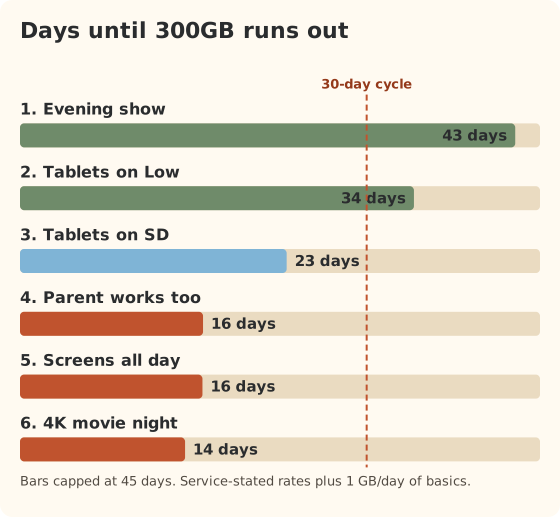
These are planning numbers, not measurements of your family. Netflix’s figures are “up to” values per device, and real streams are often a bit lower. Kids’ apps and short-video apps don’t publish rates at all.
Warning points: are you on pace?
On a 30-day cycle, 300GB runs out on the last day if you use exactly 10 GB a day. So your pace marks are simple:
| Day of the cycle | On pace if you’ve used no more than |
|---|---|
| Day 7 | 70 GB |
| Day 10 | 100 GB |
| Day 15 | 150 GB |
| Day 21 | 210 GB |
| Day 25 | 250 GB |
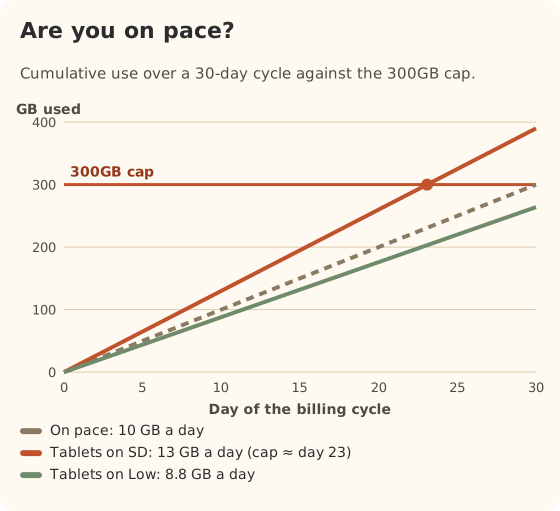
Check the counter in the app (menu, then Data usage) on day 7 and day 15. If you’re over the mark on day 7, you have three weeks to fix it, which is easy. On day 25 it isn’t.
Cut-back ideas, ranked by days gained
For pattern 3 (13 GB a day, about 23 days):
| Change | New GB per day | Days per 300GB |
|---|---|---|
| None | 13 | 23 |
| Tablets from SD to Low | 8.8 | 34 |
| TV from HD to SD | 9 | 33 |
| Both of the above | 4.8 | 63 |
| Tablets watch downloads instead | 7 | 43 |
Other cuts that don’t show in the table but add up:
- Updates and backups. Starlink warns that game and movie downloads can top 100 GB and that phones, consoles and vehicles update in the background. One console update can wipe out a day’s budget.
- The router itself. Starlink says its router uses about 1–5 GB a month for updates and health checks even with nothing connected.
- Speed tests. Up to about 1 GB each, per Starlink.
- Guests on your Wi-Fi. Set a strong password.
Why families run out earlier than the math says
Three things push real use above the table:
- Auto quality. Many apps and smart TVs pick the highest quality the connection allows. On a fast evening, that can mean HD or 4K when you assumed SD.
- Rainy days. One wet weekend can double screen time. Two in a cycle can move a family from pattern 2 to pattern 3.
- Hidden traffic. Starlink lists background app and system updates, smart TVs and cameras that quietly send data, and its own router’s 1–5 GB a month. None of that shows up in a streaming estimate.
Plan with a cushion: if the table says you’ll use 280 GB, treat 300GB as full.
When 300GB isn’t the right plan
- You’re on the road the whole cycle and heavy use is normal. Pattern 4, 5 or 6 for 30 days needs about 570–630 GB. That’s Unlimited territory ($175/mo), or 300GB plus cellular. Our 300GB vs Unlimited guide does that comparison.
- You only travel a week or two a month. Pattern 3 for 7 days is about 91 GB. Roam 100GB ($55/mo) covers that.
Same family, part of the month on the road
Many families don’t travel the whole cycle. Here’s pattern 3 (about 13 GB a day) for different numbers of road days in one billing cycle, assuming the rest of the month is at home on other internet:
| Road days in the cycle | GB used on Roam | Room left in 300GB |
|---|---|---|
| 7 | 91 | 209 GB |
| 14 | 182 | 118 GB |
| 21 | 273 | 27 GB |
| 30 | 390 | Runs out around day 23 |
Seven road days a month fits Roam 100GB ($55/mo) with a little room. Fourteen or twenty-one fits 300GB. A full month doesn’t.
Reading the counter
Starlink’s app shows usage under the menu, then Data usage; tap the graph for a daily view. Starlink’s additional-data page notes that the app can show slightly more than your bill, because Starlink subtracts data used for its own backend operations. For pacing, use the app’s number: it’s the cautious one.
A simple habit: check on day 7 and day 15 against the pace marks above, and on the evening before a long drive day if kids will be streaming.
Common mistakes
- Checking the counter only when things slow down. By then you’re already on low speed: after the 100GB or 300GB runs out, service drops to unlimited low-speed data that handles email, calls and texts; streaming, big downloads and video calls are limited.
- Counting only streaming. Calls, uploads and updates are real data too.
- Assuming the TV is on SD. Many smart TVs default to the highest quality the connection allows.
- Forgetting that upgrading sticks. After you switch to Unlimited mid-cycle, Starlink keeps you there until you switch back.
What we don’t know
- Your family’s real numbers. Our patterns are built from published rates; our own measured test is planned but not done.
- Exactly how long your cycle is. Billing months vary from 28 to 31 days; we use 30 for round numbers.
What to do next
Build your own day in the data-use reference, and if you’re already behind pace this month, follow the 5-day survival plan. For choosing an allowance from scratch, read picking an allowance for a family.
Questions people ask
How long does 300GB of data last?
Over a 30-day cycle, 300GB is 10 GB a day. For a family of four in our planning numbers, that’s about 14 days at heavy use (4K or a working parent plus streaming kids) to more than 30 days with tablets on low quality.
How many hours of Netflix is 300GB?
By Netflix’s own “up to” figures: about 100 hours of HD, 300 hours of standard definition, or 43 hours of 4K. Real use is often a little lower.
Is 300GB a month enough for a family?
For two to three weeks on the road a month, usually yes. For a full month with screens on every day, often not, unless you lower video quality. Check your pattern in the tables here.
What happens when the 300GB runs out?
Starlink says after the 100GB or 300GB runs out, service drops to unlimited low-speed data that handles email, calls and texts; streaming, big downloads and video calls are limited. No overage charge. You can upgrade to Unlimited ($175/mo) any time.
Does 300GB roll over?
We haven’t seen Starlink offer rollover on Roam plans. Assume unused data doesn’t carry into the next cycle.
How many hours of video calls is 300GB?
Using Zoom’s recommended bandwidth for a 720p group call, converted to about 1.98 GB an hour, 300GB is roughly 152 hours of calls with nothing else. A 1:1 call at 720p converts to about 1.08 GB an hour.
Sources
- What are the Roam service plans? (Starlink help center), retrieved Oct 6, 2026
- Data Usage Best Practices (Starlink help center), retrieved Oct 6, 2026
- Service Plan Changes (Starlink help center), retrieved Oct 6, 2026
- Roam plans and kits for US addresses (starlink.com public order data), retrieved Oct 5, 2026
- How to control how much data Netflix uses (Netflix Help Center), retrieved Oct 5, 2026
- Zoom system requirements: bandwidth (Zoom Support), retrieved Oct 5, 2026
Prices and plan rules on this page are filled in from our dated data files when the site is built; hover a number to see when we checked it.
Research and spec-based analysis. We haven’t used Starlink in an RV, van or boat; this post is built from Starlink’s own documents, carrier pages and dated reports, cited above. Links to Starlink’s plan pages here use the site owner’s own referral link: the owner may get a referral reward if you order, and your price is the same. There are no affiliate links. Starlink and Roam are trademarks of Space Exploration Technologies Corp. Starlink RV USA is not affiliated with, endorsed by, or sponsored by SpaceX or Starlink. Spotted an error? Tell us.