On this page (9 sections)
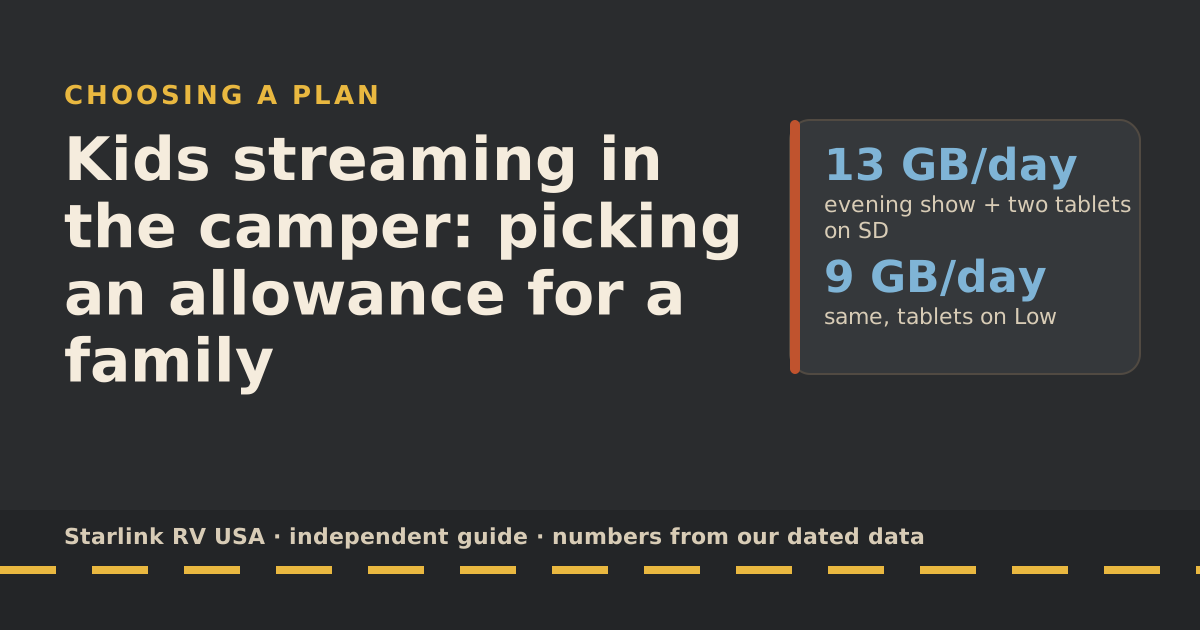
To pick an allowance for a family, add up screens × hours × the streaming service’s own GB-per-hour rate, then multiply by the days you’re on the road in your busiest billing month. A family watching one evening show and letting two kids use tablets in standard definition uses about 13 GB a day in our planning numbers: two weeks on the road fits Roam 300GB, a full month doesn’t. The fastest way to change the answer isn’t a bigger plan; it’s the quality setting on the kids’ devices.
Here’s how to do the math for your family, which plan each pattern lands on, and the settings that move it.
Step 1: devices and hours per day
List every screen that streams on a typical road day and how long it runs. Be honest about rainy days.
The per-hour rates below come from the services themselves, via our data-use reference. Netflix publishes its own; YouTube and Zoom publish recommended speeds, which we convert to GB per hour.
| Activity | GB per hour | Source |
|---|---|---|
| Netflix, Low setting | 0.3 | Netflix |
| Netflix, standard definition | 1.0 | Netflix |
| Netflix, HD | 3.0 | Netflix |
| Netflix, 4K | 7.0 | Netflix |
| YouTube, 480p | 0.5 | YouTube recommended speed, converted |
| YouTube, 1080p | 2.25 | YouTube recommended speed, converted |
| Zoom group call, 720p | 1.98 | Zoom recommended bandwidth, converted |
Add 1 GB a day for email, maps, messaging and updates. That 1 GB is our planning assumption, not a measurement. Starlink’s own data page gives similar ballparks for video (about 3 GB an hour for HD, about 7 GB for 4K).
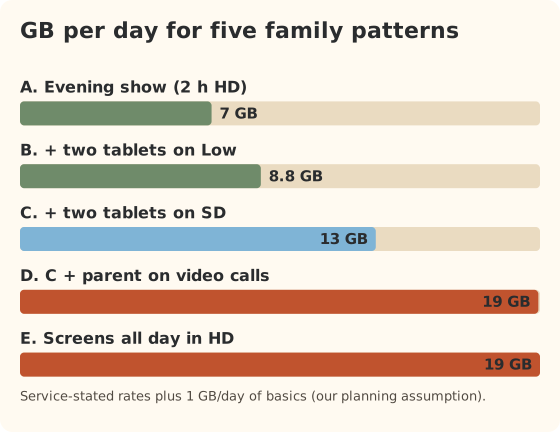
Step 2: GB per day for five family patterns
| Pattern | What’s on | GB per day |
|---|---|---|
| A. Evening show | 2 hours of HD on the TV, plus basics | 7 |
| B. Show plus tablets on Low | A + two tablets, 3 hours each, Low | 9 |
| C. Show plus tablets on SD | A + two tablets, 3 hours each, SD | 13 |
| D. Parent works, family streams | C + 3 hours of group video calls | 19 |
| E. Screens all day in HD | 6 hours of HD across devices, plus basics | 19 |
Step 3: the allowance that fits
Now multiply by the days you’re on the road in one billing month. Each cell shows the GB for that month and the smallest plan that covers it.
| Pattern | 7 days on the road | 14 days | 30 days |
|---|---|---|---|
| A. Evening show | 49 GB: 100GB | 98 GB: 100GB | 210 GB: 300GB |
| B. Tablets on Low | 62 GB: 100GB | 123 GB: 300GB | 264 GB: 300GB |
| C. Tablets on SD | 91 GB: 100GB | 182 GB: 300GB | 390 GB: Unlimited |
| D. Parent works | 133 GB: 300GB | 265 GB: 300GB | 568 GB: Unlimited |
| E. All day in HD | 133 GB: 300GB | 266 GB: 300GB | 570 GB: Unlimited |
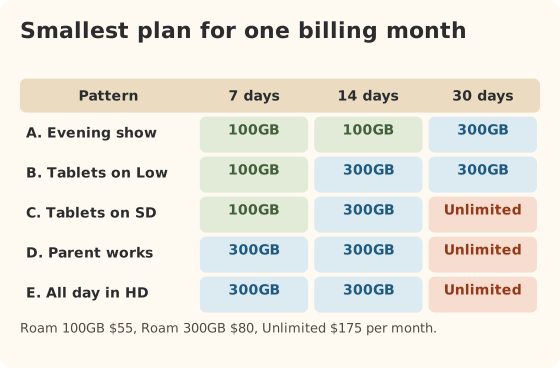
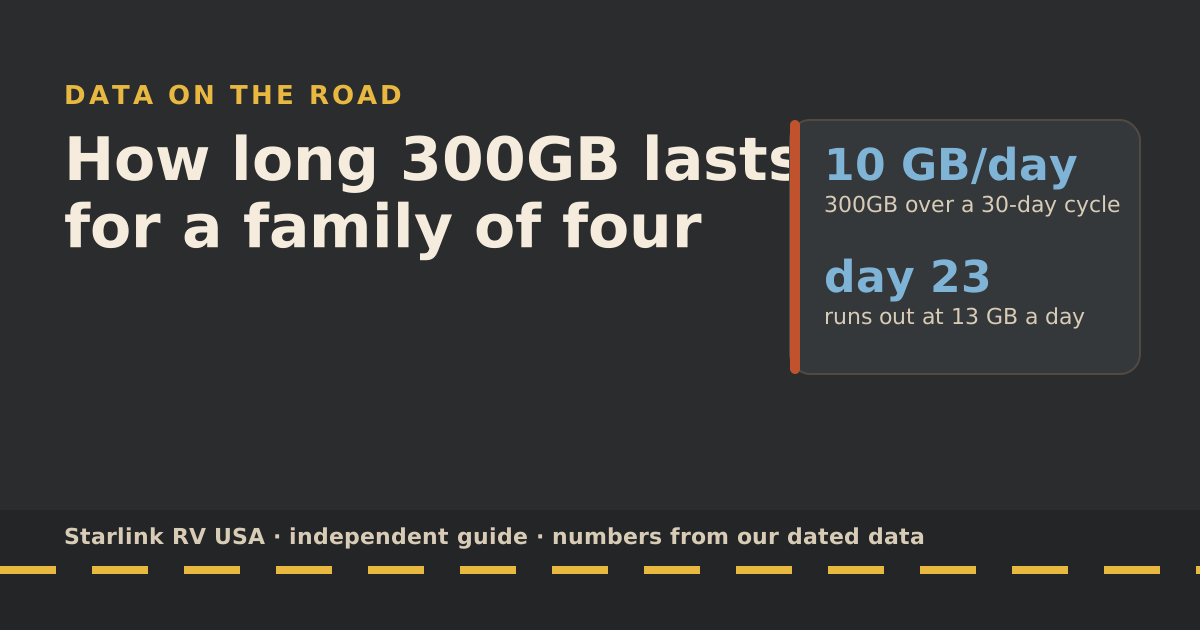
Prices for comparison: Roam 100GB $55/mo, Roam 300GB $80/mo, Roam Unlimited $175/mo. Roam 300GB covers about 23 days of pattern C.
Worked example: a family of four, three weeks in July
Two parents, two kids. Evening movie in HD; kids on tablets about three hours a day. 21 days on the road in the July billing month.
- Tablets on SD: 273 GB. Fits Roam 300GB, barely. One rainy week of extra screen time breaks it.
- Tablets on Low: 185 GB. Comfortable on 300GB with room for a few long drive days.
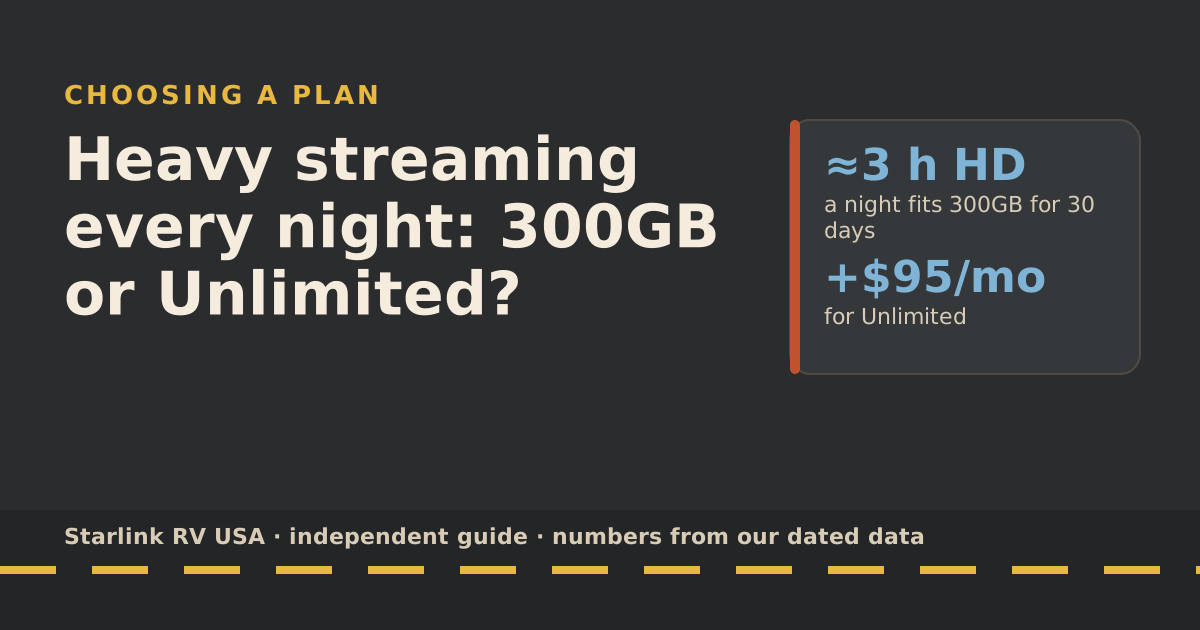
- Choice: Roam 300GB with tablets on Low, and an eye on the counter. Saving versus Unlimited: $95 for the month.
Ways to slow data use
- Set quality on each kid’s profile. In Netflix, the data setting is per profile. A tablet screen doesn’t need HD.
- Download for the car and for bedtime. Download episodes on campground Wi-Fi or at home. Downloads use no Roam data later.
- Turn off autoplay so the next episode doesn’t load to an empty room.
- Stop background updates. Starlink says phones, consoles and even vehicles update over Wi-Fi in the background, and that game and movie downloads can top 100 GB. Turn on Low Data mode on phones; update games at home.
- Lock down the Wi-Fi. Starlink says an open or easy-to-guess Wi-Fi password lets others join and use data. At a busy campground, that matters.
- Skip repeated speed tests. Starlink says each one can use up to about 1 GB.
Even with nobody online, Starlink says its router uses about 1–5 GB a month for updates and health checks, and that counts toward your total.
Signs you picked too small
- Halfway through the month, you’re past half the allowance. Check the counter in the app: menu, then Data usage.
- Video quality drops on its own and pages crawl. That’s the low-speed fallback: after the 100GB or 300GB runs out, service drops to unlimited low-speed data that handles email, calls and texts; streaming, big downloads and video calls are limited.
- The kids start asking “why is it buffering?” every evening.
If that happens, you can upgrade any time. Starlink says switching mid-cycle gives you the new plan’s full allowance, and you stay on it for later months unless you switch back. Our guide to running low on data has a five-day plan.
Month by month: school year vs summer
A family that travels on weekends during the school year and for most of the summer doesn’t need the same plan all year. Using pattern C (tablets on SD, about 13 GB a day):
| Month type | Road days | GB on Roam | Smallest plan | Monthly price |
|---|---|---|---|---|
| School-year month, two weekends | 4 | 52 | Roam 100GB | $55/mo |
| Spring break month | 10 | 130 | Roam 300GB | $80/mo |
| Summer month, three weeks out | 21 | 273 | Roam 300GB (tight) | $80/mo |
| Summer month, out all month | 30 | 390 | Unlimited, or 300GB with tablets on Low | $175/mo or $80/mo |
Change plans with the DATE option a few days before the busy month starts, so the new plan begins on your billing date, and set a reminder to step back down when school starts.
Common mistakes
- Sizing to the average month. Summer break is the busy month. Size for it, then step down in fall.
- Leaving every device on Auto quality. Auto often picks the highest quality the connection allows. On a fast connection, that’s more data.
- Not knowing which device is the hog. Starlink’s router shows connected devices on the Network screen but not usage per device. A third-party travel router can; see travel routers.
- Forgetting the downgrade. After an upgrade, you stay on the bigger plan until you switch back.
What we don’t know
- Your kids’ real habits. Our patterns are planning numbers built from the services’ stated rates, not measurements of any family. Our own measured test is planned, not done yet.
- Rates for every app. Kids’ apps, games and short-video apps vary, and many don’t publish data rates.
What to do next
Plug your family’s hours into the data-use reference, then let the travel plan picker pick the plan and show the yearly cost. To see how many days 300GB lasts for different families, read how long 300GB lasts.
Questions people ask
How much data does a family of four use in an RV?
In our planning numbers, anywhere from about 7 GB a day (one evening show, little else) to about 19 GB or more (screens on most of the day, or a parent working on video calls). The biggest variable is video quality on the kids’ devices.
Is Roam 300GB enough for a family?
For two to three weeks a month on the road with sensible quality settings, usually yes. For a full month with tablets streaming in SD or HD every day, often not. Use the tables below to check your pattern.
Should a family just get Roam Unlimited?
If the family is on the road all month and streams heavily every day, Unlimited ($175/mo) removes the worry. It costs $95 a month more than 300GB, so check first whether lower quality settings get you under 300GB.
Can I see how much data each kid uses?
Not on Starlink’s router: Starlink says it doesn’t provide per-device usage breakdowns. Many third-party travel routers do. The app’s Network screen does show which devices are connected.
What happens if we run out of data mid-month?
You’re not charged extra. Starlink says after the 100GB or 300GB runs out, service drops to unlimited low-speed data that handles email, calls and texts; streaming, big downloads and video calls are limited. You can upgrade any time; see our guide to running low.
Do phones and tablets use data in the background?
Yes. Starlink lists background app and software updates, smart TVs and cameras as common hidden data users, and says even its router uses 1–5 GB a month on its own. Turn on Low Data mode on phones.
Sources
- Data Usage Best Practices (Starlink help center), retrieved Oct 6, 2026
- Service Plan Changes (Starlink help center), retrieved Oct 6, 2026
- How do I view my monthly data usage? (Starlink help center), retrieved Oct 6, 2026
- Roam plans and kits for US addresses (starlink.com public order data), retrieved Oct 5, 2026
- How to control how much data Netflix uses (Netflix Help Center), retrieved Oct 5, 2026
- System requirements: recommended sustained speed (YouTube Help), retrieved Oct 5, 2026
- Zoom system requirements: bandwidth (Zoom Support), retrieved Oct 5, 2026
- What are the Roam service plans? (Starlink help center), retrieved Oct 5, 2026
Prices and plan rules on this page are filled in from our dated data files when the site is built; hover a number to see when we checked it.
Research and spec-based analysis. We haven’t used Starlink in an RV, van or boat; this post is built from Starlink’s own documents, carrier pages and dated reports, cited above. Links to Starlink’s plan pages here use the site owner’s own referral link: the owner may get a referral reward if you order, and your price is the same. There are no affiliate links. Starlink and Roam are trademarks of Space Exploration Technologies Corp. Starlink RV USA is not affiliated with, endorsed by, or sponsored by SpaceX or Starlink. Spotted an error? Tell us.