On this page (11 sections)
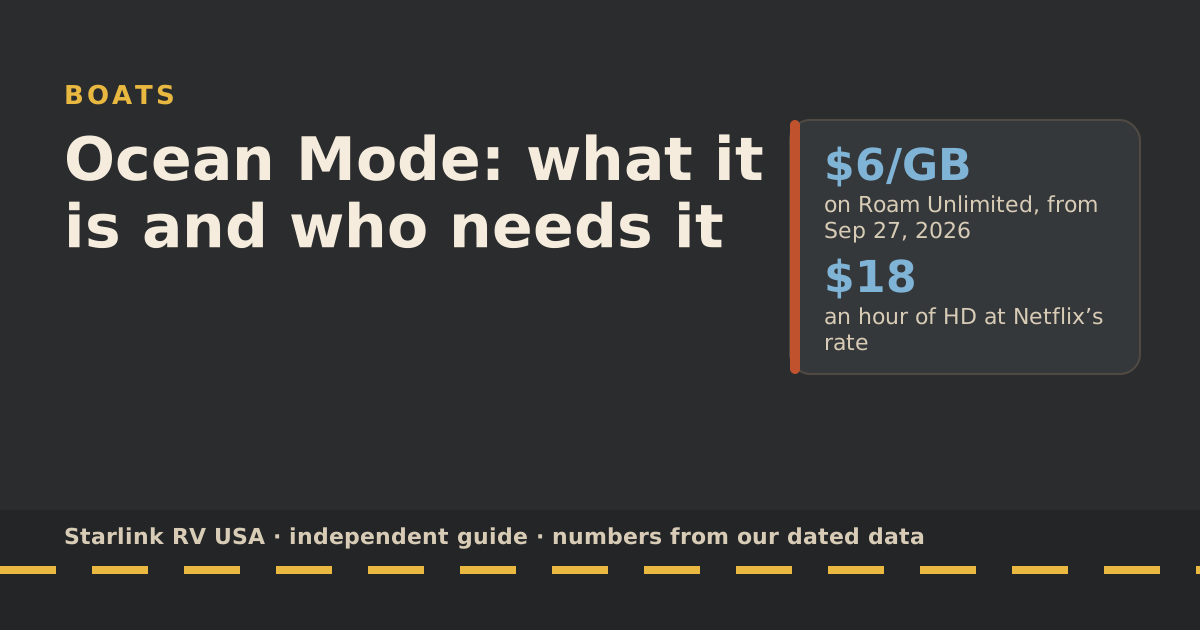
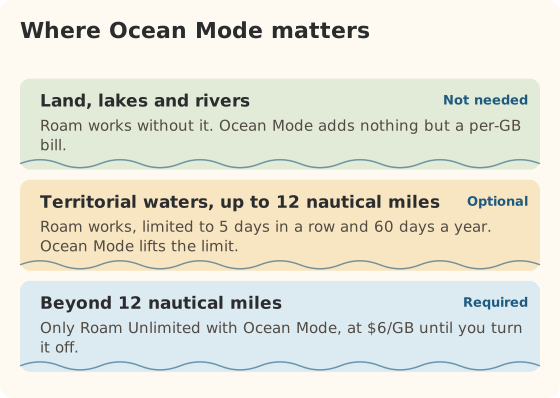
Ocean Mode is a pay-per-GB option on Starlink Roam Unlimited that does two things: it lets the dish work beyond 12 nautical miles from shore, where Roam otherwise doesn’t, and it removes the limit on how long you can use Roam in coastal (territorial) waters. Starlink lists it at $6/GB. It starts billing the moment you turn it on, bills on land too, and stays on across billing cycles until you switch it off. Lake and river boaters don’t need it; coastal cruisers and offshore sailors might.
What Ocean Mode is
From Starlink’s help center, as we last read it, Ocean Mode includes:
- Coverage beyond 12 nautical miles (international waters). Starlink says Ocean Mode is required there.
- Unlimited use in territorial waters, with no 5-consecutive-day or 60-days-a-year limit.
- Higher network priority than standard Roam data, everywhere Starlink is available.
- Pay-per-GB billing for all data while it’s on.
Without it, Starlink’s rule for Roam near the coast is: without Ocean Mode, Roam use in territorial waters is limited to 5 days in a row and 60 days a year.
Which plans include it
| Plan | Ocean Mode? | Notes |
|---|---|---|
| Roam 100GB | No | Land, inland water and territorial waters with the coastal limit |
| Roam 300GB | No | Same as 100GB |
| Roam Unlimited | Yes, opt-in | $175/mo plus $6/GB while on |
| Personal Maritime (reported) | Ocean data per GB | $185/mo; reported as unlimited in territorial waters worldwide, land use prohibited |
The Personal Maritime plan is reported by RV Mobile Internet; we haven’t read its terms on starlink.com, so treat its details as reported. Reports also conflict on the vessel-length limit (40 ft in the original terms, 60 ft in later updates).
What it costs per hour of use
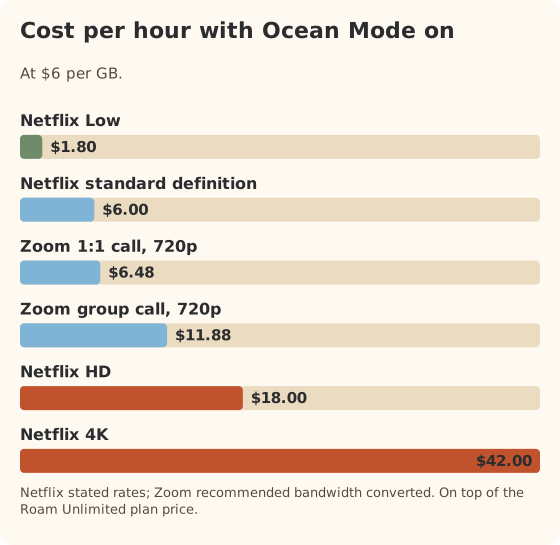
At $6/GB, here’s what common activities cost in Ocean Mode, using the services’ own data rates from our data-use reference:
| Activity | GB per hour | Cost per hour in Ocean Mode |
|---|---|---|
| Netflix, Low | 0.3 | $1.80 |
| Netflix, standard definition | 1.0 | $6 |
| Netflix, HD | 3.0 | $18 |
| Netflix, 4K | 7.0 | $42 |
| Zoom 1:1 call, 720p | 1.08 | $6.48 |
| Zoom group call, 720p | 1.98 | $11.88 |
| Email, weather, messages for a day (our 1 GB planning figure) | 1 per day | $6 per day |
Worked example: a three-day offshore passage, with email, weather and messages (about 1 GB a day) plus one hour of SD video each evening. That’s about 6 GB, or about $36 in Ocean Mode charges, on top of the Unlimited plan.
The price went up recently. Starlink’s help center, updated August 27, 2026, says the Roam Unlimited rate rose to today’s $6/GB on September 27, 2026, three times the earlier rate. That change is in our rules changelog.
Who needs it
- Offshore passages beyond 12 nautical miles. It’s the only way Roam works out there.
- Coastal cruisers who stay in territorial waters more than 5 days in a row or 60 days a year.
- Short offshore hops, like a day trip out past 12 nautical miles to fish, if you need a connection out there.
Who should skip it
- Lake and river boaters. Starlink says Roam covers inland waterways; Ocean Mode adds nothing there. See lake boating.
- RVers wanting faster evenings. Ocean Mode does give higher priority on land, but at $6/GB, two hours of HD costs about $36. That’s rarely worth it.
- Roam 100GB or 300GB customers. It isn’t available on those plans.
- Coastal liveaboards who never use the dish on land. Compare with the Personal Maritime plan (reported at $185/mo), which is reported to include unlimited territorial-water use.
How to turn it on and off
Starlink’s steps:
- Web: Subscriptions → select the service line → under Data, toggle Ocean Mode.
- App: menu → Data Usage → Ocean Mode.
Starlink’s important details: billing begins immediately when you enable it, it stays on until you toggle it off, and usage shows on your next invoice and continues into future billing cycles until disabled. Set a reminder to turn it off when you reach the coast.
Before you head offshore
- Clear sky view. Masts, radar and antennas all block the dish. Starlink’s boat guide asks for an unobstructed 360° view of the sky from 20° above the horizon up, and calls the Standard 4 X more sensitive to obstructions than Performance kits.
- Other countries’ waters. Starlink says that if a vessel enters the waters of a country that prohibits Starlink, the dish may not connect. Travel Registration is required before use outside your home country.
- Safety gear stays aboard. Satellite internet isn’t a replacement for marine radios and safety equipment.
Three boaters, three answers
The offshore day-tripper. Runs past 12 nautical miles to fish a few Saturdays a summer. Needs weather and messages out there, nothing more.
- About 1 GB per day offshore in our planning numbers, so about $6 per trip in Ocean Mode charges, on top of Roam Unlimited.
- The catch: Ocean Mode needs Roam Unlimited ($175/mo). If the boat is the only reason you’d have Unlimited, that monthly price is the real cost of the trips, not the per-GB charges.
- Routine: turn Ocean Mode on at the dock before heading out, off when back inside 12 nautical miles.
The coastal cruiser. Spends a summer moving along the coast, mostly inside 12 nautical miles, anchoring most nights.
- Without Ocean Mode, Roam in territorial waters stops being allowed after 5 days in a row or 60 days in a year.
- With it, every GB is billed. A summer of 1 GB a day plus an hour of SD each evening is about 180 GB over 90 days, or about $1,080 in Ocean Mode charges.
- Compare with the Personal Maritime plan, reported at $185/mo with unlimited territorial-water use; reported terms say land use is prohibited, so it only fits if the dish stays on the boat.
The RV-and-boat household. One dish, used on the RV most of the year and on a boat on the coast for a couple of weeks.
- Two weeks inside 12 nautical miles is within the 5-day / 60-day limits only if you break it into runs of 5 days or fewer. Otherwise, turn on Ocean Mode for the boat weeks and off afterwards.
- The Personal Maritime plan, as reported, doesn’t allow land use, so it doesn’t fit a dish that goes back on the RV.
Common mistakes
- Leaving Ocean Mode on after the passage. It keeps billing, on land too, every cycle.
- Assuming lakes need it. They don’t.
- Streaming HD offshore. At $6/GB, quality settings matter more than ever.
- Planning on old prices. The rate tripled on September 27, 2026.
What we don’t know
- Personal Maritime terms from starlink.com. Our data on it is reported, not read from Starlink.
- How a given country treats Starlink in its waters. Starlink only says service may not work where it’s prohibited.
What to do next
Track boating rule changes in the rules changelog. If you’re deciding whether Unlimited is worth it at all, read 300GB or Unlimited. For mounts and plans by boat type, see Starlink for boats.
Questions people ask
What is Starlink Ocean Mode?
An option on Roam Unlimited that lets the dish work beyond 12 nautical miles from shore and in territorial waters without the 5-day / 60-day limit. It’s billed per GB, starts the moment you enable it, and stays on until you turn it off.
How much does Ocean Mode cost?
Starlink’s help center lists $6/GB for Roam Unlimited, on top of the $175/mo plan. Before September 27, 2026 it was a third of that. Check the exact rate in your account.
Which plans can use Ocean Mode?
Roam Unlimited. Starlink says it’s not available on Roam 100GB or 300GB; those plans cover land, inland waterways and territorial waters, with the coastal day limits.
Do I need Ocean Mode near the coast?
Within 12 nautical miles, Roam works without it, but Starlink limits that use to 5 consecutive days at a time and 60 days a year. If you’ll be in coastal waters longer than that, you need Ocean Mode (or a maritime plan).
Can I use Ocean Mode on land for faster speeds?
You can. Starlink says it gives higher network priority than standard Roam data anywhere, billed per GB. At $6/GB, an evening of HD streaming costs more than a month of some plans, so it’s rarely worth it for RVers.
How do I turn Ocean Mode on or off?
On starlink.com: Subscriptions, pick the service line, and under Data toggle Ocean Mode. In the app: the menu, then Data Usage, then Ocean Mode. Starlink says billing starts immediately and continues into future cycles until you switch it off.
Sources
- What is Ocean Mode? (Starlink help center), retrieved Oct 6, 2026
- How do I opt in for additional data? (Starlink help center), retrieved Oct 6, 2026
- What are the Roam service plans? (Starlink help center), retrieved Oct 6, 2026
- How does ocean service vary from land service? (Starlink help center), retrieved Oct 6, 2026
- Why do I need a clear field of view to use Starlink on the ocean? (Starlink help center), retrieved Oct 6, 2026
- Starlink formalizes ability of Roam Unlimited to get ocean coverage with Ocean Mode (RV Mobile Internet), Jun 12, 2025, retrieved Oct 5, 2026
- Roam plans and kits for US addresses (starlink.com public order data), retrieved Oct 5, 2026
- Starlink introduces $185/month Personal Maritime plan for small boats (RV Mobile Internet), retrieved Oct 5, 2026
- How to control how much data Netflix uses (Netflix Help Center), retrieved Oct 5, 2026
- Zoom system requirements: bandwidth (Zoom Support), retrieved Oct 5, 2026
- How to install Starlink on boats (Starlink help center), retrieved Oct 5, 2026
- Can I use Starlink in-motion? (Starlink help center), retrieved Oct 5, 2026
Prices and plan rules on this page are filled in from our dated data files when the site is built; hover a number to see when we checked it.
Research and spec-based analysis. We haven’t used Starlink in an RV, van or boat; this post is built from Starlink’s own documents, carrier pages and dated reports, cited above. Links to Starlink’s plan pages here use the site owner’s own referral link: the owner may get a referral reward if you order, and your price is the same. There are no affiliate links. Starlink and Roam are trademarks of Space Exploration Technologies Corp. Starlink RV USA is not affiliated with, endorsed by, or sponsored by SpaceX or Starlink. Spotted an error? Tell us.